Clepso docs · build 6d2bebc · 59/75 increments done
CLEPSO
Your coding-agent limits, //before you hit them.
A macOS menu bar app that shows how much of your Claude Code and Codex limits you have used, when they reset and how fast you are going, from what those agents report on your own Mac. These pages document how it is built, what every number means and where the work stands.
The build, in numbers
Counted from the roadmap, the git history, the test suite and the CI script each time this site is generated.
Every increment
One bar per increment, like a status page: green is done, amber is in progress, outlined is waiting on a go.
What it looks like
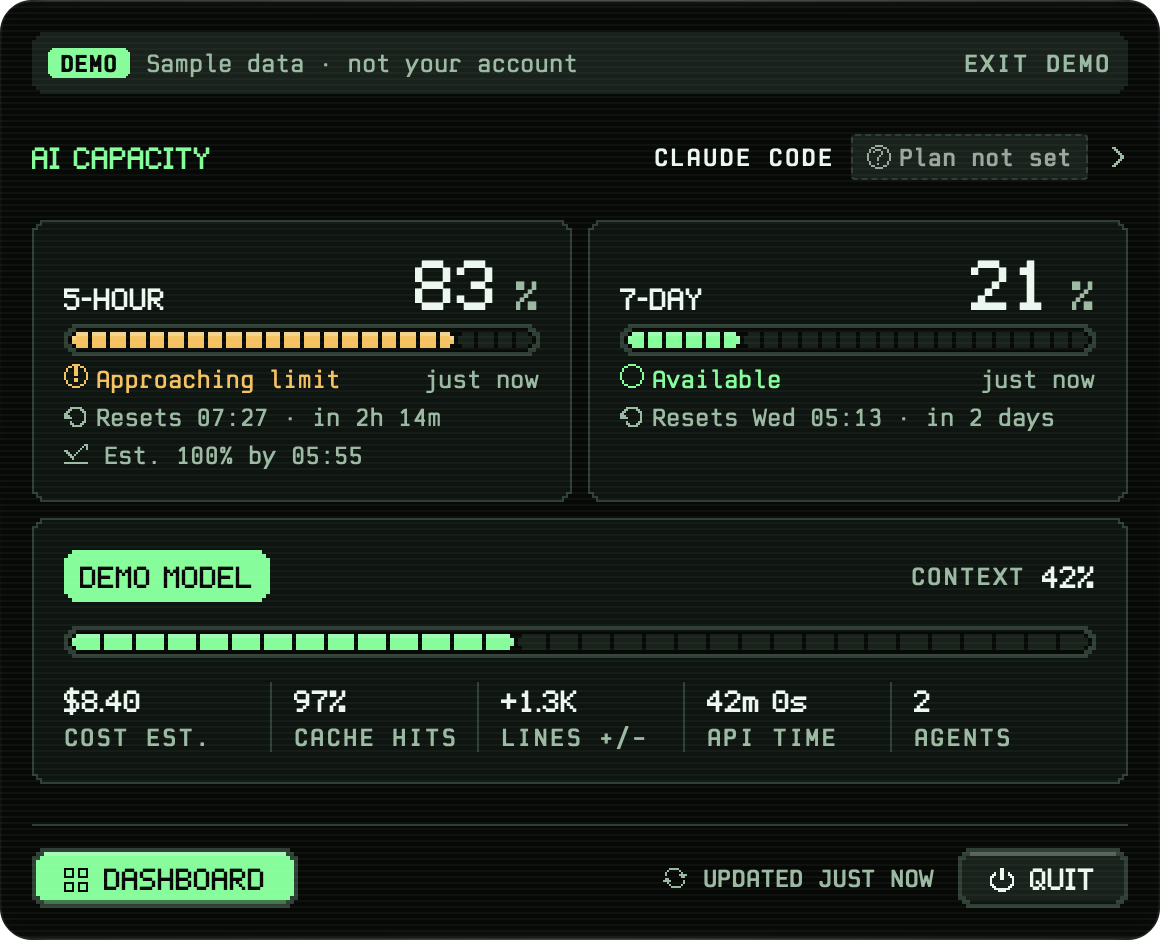
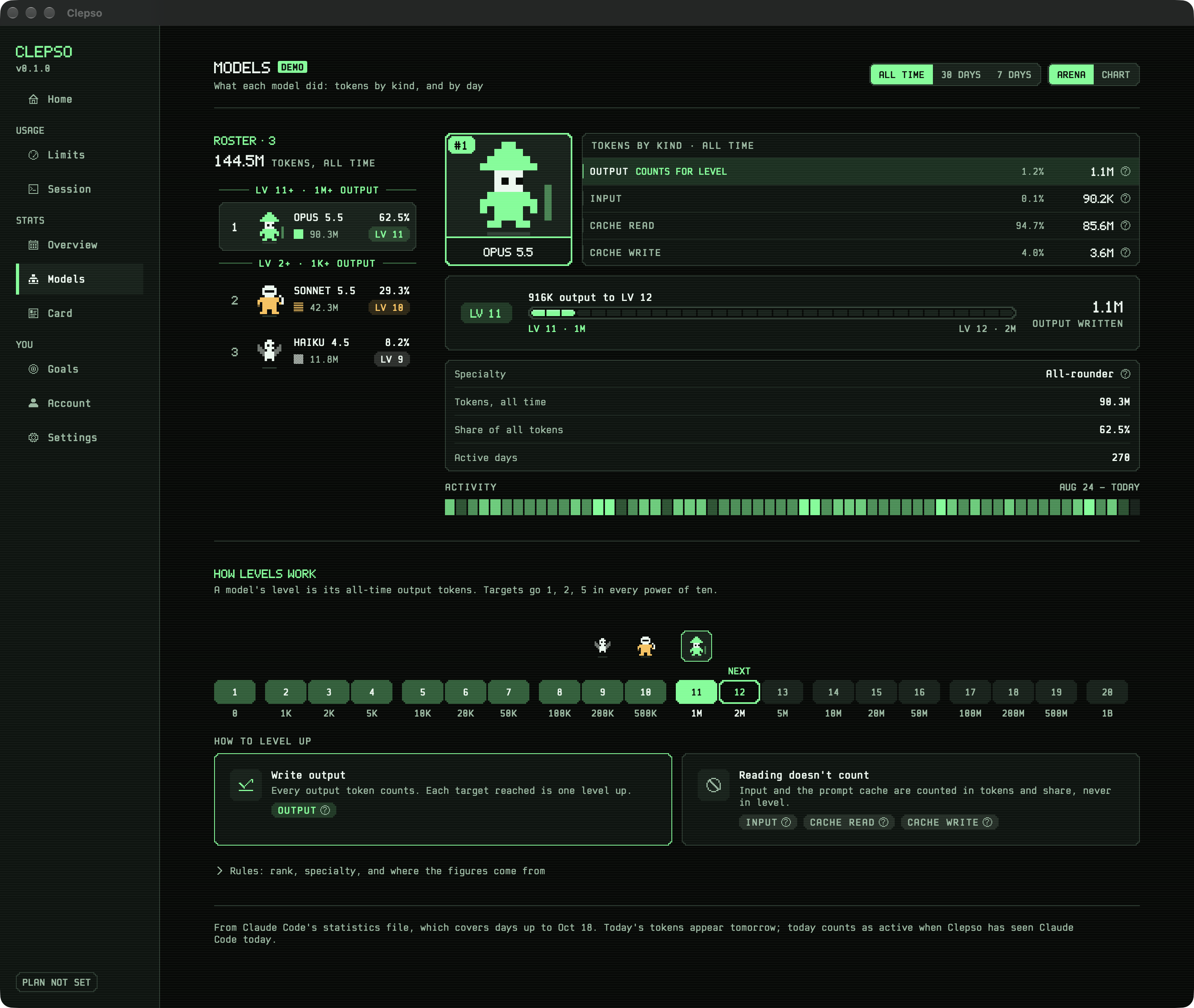
The menu bar panel and the arena, from the running app with demo data. All screens →
Drag it past 80%
The same rule the app runs to name a limit's state, next to its Swift source. Level and pace playgrounds are on Metrics.
Available
// Sources/UsageEngine/PoolReducer.swift
static func classify(_ used: Decimal, previous: LimitState, config: EngineConfig) -> LimitState {
    if used >= config.exhausted { return .exhausted }
    if used >= config.critical { return .approaching(.critical) }
    if previous == .approaching(.critical), used > config.critical - config.hysteresis { return .approaching(.critical) }
    if used >= config.warning { return .approaching(.warning) }
    if case .approaching = previous, used > config.warning - config.hysteresis { return .approaching(.warning) }
return .availableA reading's path
From Claude Code's status line to the menu bar, all on your Mac. The sixth layer runs only if you sign in.
- 01Claude Code · Status lineRuns your status line command on every refresh and hands it a JSON description of the session.
- 02Helper · statusline.sh · clepso-statuslinePasses the input to your own status line unchanged, keeps only allowlisted fields, sends them on.
- 03Ingest · Socket · IngestorLocal socket, peer checks and a rate limit; each frame becomes readings with source and freshness.
- 04Store · SQLite · UsageEngineOne transaction per frame: insert the reading, work out each limit's state, keep the history.
- 05Show · Menu bar · DashboardRenders snapshots it is handed and never computes a state itself.
- 06Sync · Optional, if you sign inUploads daily counts once an hour; the only module allowed to use the network.
Step through the build
Every increment in order. The highlighted one is in progress now; pick any dot for what it does.
Accounts and web dashboard
ACCOUNTS_AND_SYNC.md: step 1 (schema, row-level security, delete) and step 2 (Mac sign-in by email link, hourly upload) done; step 3 web dashboard at /app (dd5bc6f) and upload on quit (0b5ff72) done; every web notice escaped (d9058a3); hosted project renamed "clepso" (same ref) with the founder's go 19 Oct; Apple/Google/GitHub need provider setup
The docs
Or press ⌘K anywhere to search.
Metrics
Every number defined, with three playgrounds that run the app's rules.
Architecture
Processes, the path of a reading, modules and quality gates.
Privacy
What stays on your Mac, and every field uploaded if you sign in.
Progress
Each increment, how it is built and how it is proven.
Screens
The running app, with demo data.
Design system
Tokens, themes and components, rendered from the Swift code.
Recent changes
- Merge fix/Merge fix/perf-flake: paired perf rounds; helper sends a frame however long it took to build
6d2bebc - HelperHelper: send a frame however long it took to build
415ff9e - make perfmake perf: paired rounds, honest frame-delivery check
e64048c - ReleaseRelease: scripted Developer ID build up to notarisation, v0.1 feature gate, release notes
fd3a0a7 - SiteSite: rebuild at f66a9bf (decision sheet work)
020af47 - Merge exacMerge exact running-now from Claude Code's background list, Tasks footnote, approved names for Codex (decisions 8-10)
f66a9bf