The identity, type, colour, icons, components and voice of Clepso, the menu bar monitor for AI coding-agent limits. Every logo, glyph and colour on this page is generated from the same source the app and the downloads are built from.
10theme appearances
58pixel icons
46component states
4.56:1worst text contrast
Preview the page in a theme
01 / LOGO
Logo
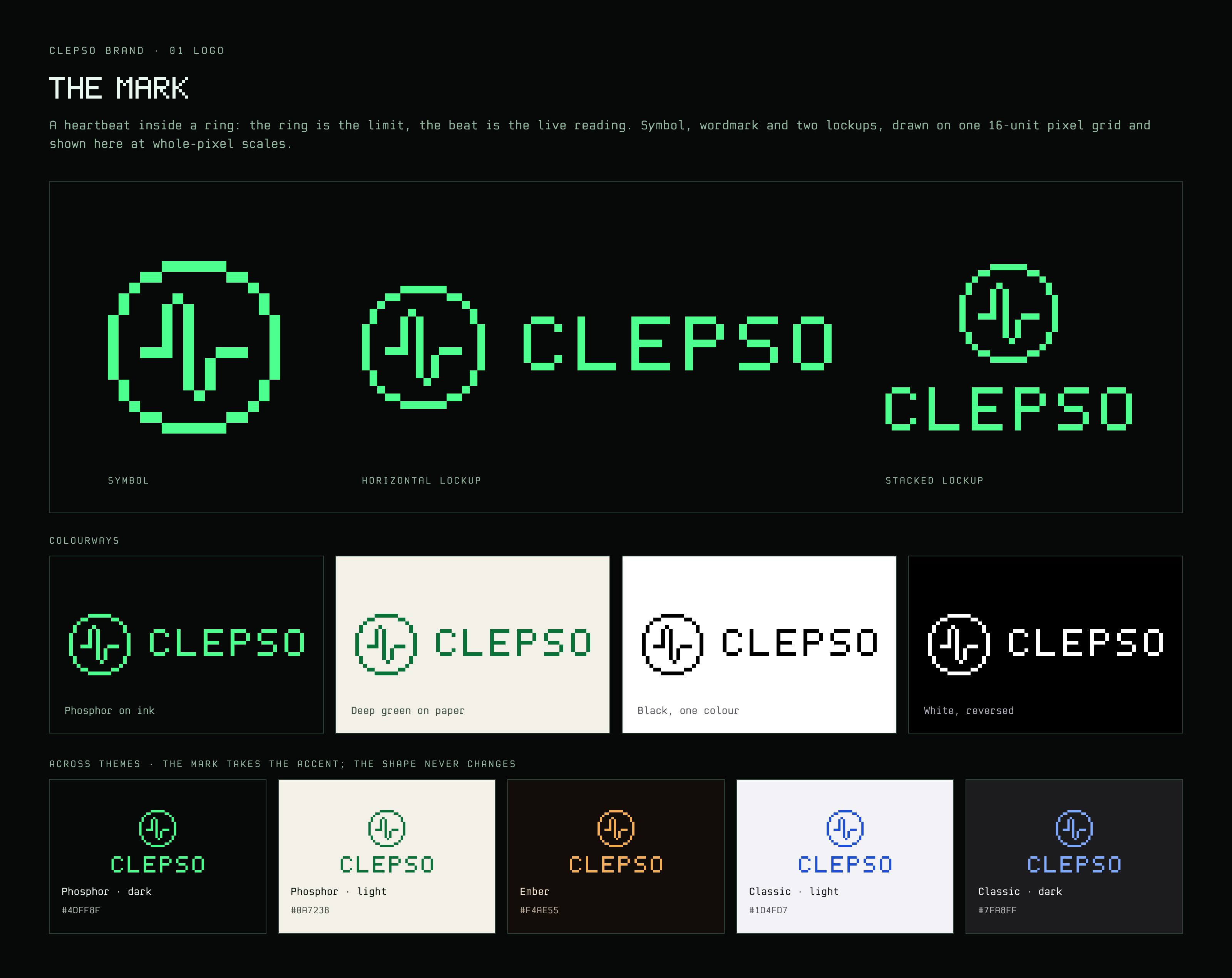
A heartbeat inside a ring. The ring is the limit, the same ring that sits in the menu bar; the beat is the live reading. One idea that reads at 16 pixels, in one colour, in any theme.
Ring · the limitBeat · the live reading
Clepso watches something you cannot see, a usage limit, and tells you before you hit it. The mark puts the two things that matter one inside the other: the container that fills and the signal that keeps arriving.
Because the ring is the existing menu bar ring, the logo and the status icon are one object. The beat is the live reading; the same ring holds a warning, a flatline, a clock, a broken ring for demo data, dots while it waits for a first reading and nothing at all when not connected, without the brand changing shape.
It is drawn on a 16-pixel grid with a 1-pixel stroke, the way the original Macintosh icons were drawn: judged at actual size first, large second.
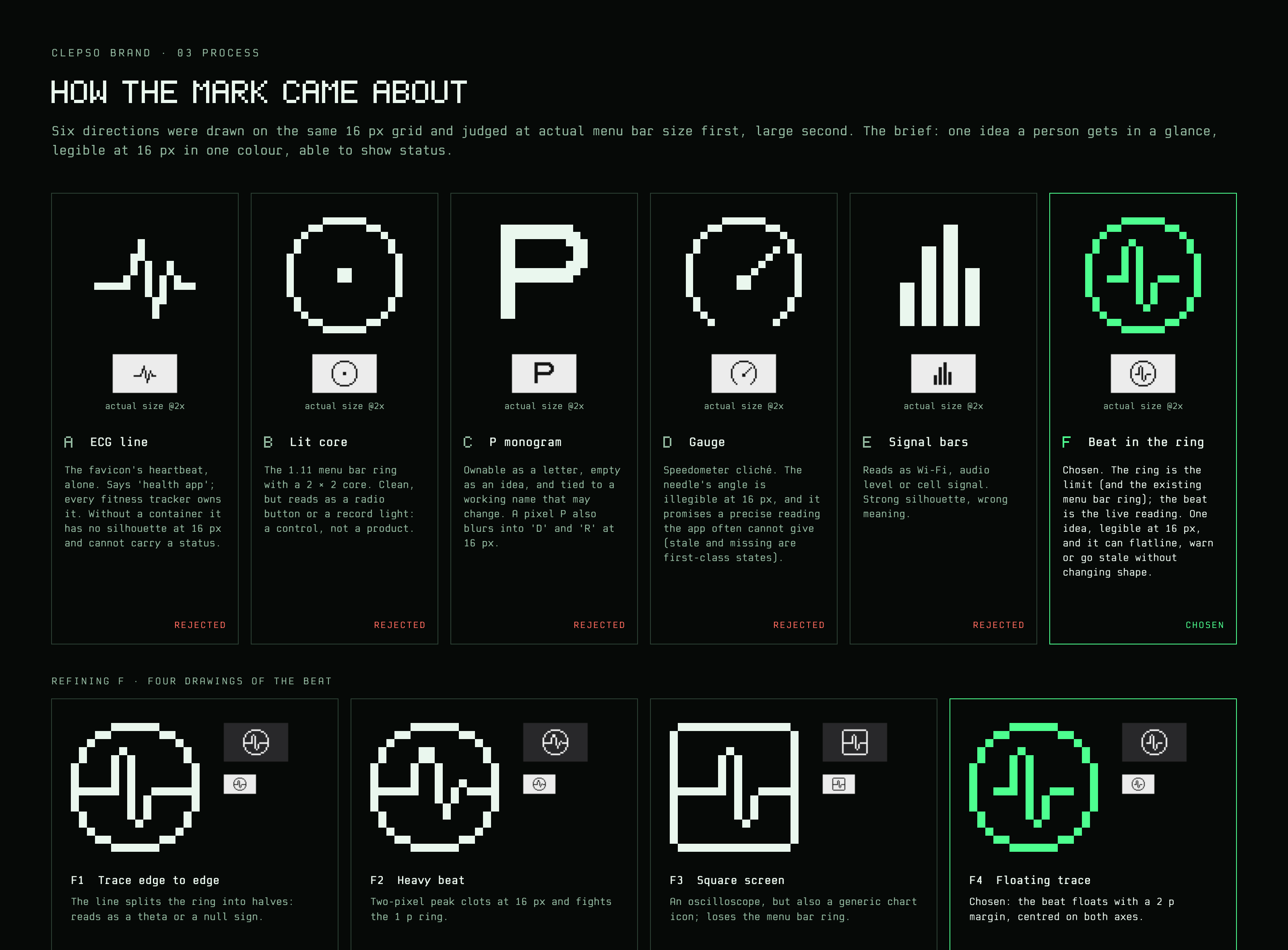
How it came about
Six directions on the same grid, judged at menu bar size. The two small renders beside each are actual size (16 px) and 2×.
A ECG lineRejected
The favicon's heartbeat, alone. Says 'health app'; every fitness tracker owns it. Without a container it has no silhouette at 16 px and cannot carry a status.
B Lit coreRejected
The 1.11 menu bar ring with a 2 × 2 core. Clean, but reads as a radio button or a record light: a control, not a product.
C P monogramRejected
Ownable as a letter, empty as an idea, and tied to a working name that may change. A pixel P also blurs into 'D' and 'R' at 16 px.
D GaugeRejected
Speedometer cliché. The needle's angle is illegible at 16 px, and it promises a precise reading the app often cannot give (stale and missing are first-class states).
E Signal barsRejected
Reads as Wi-Fi, audio level or cell signal. Strong silhouette, wrong meaning.
F Beat in the ringChosen
Chosen. The ring is the limit (and the existing menu bar ring); the beat is the live reading. One idea, legible at 16 px, and it can flatline, warn or go stale without changing shape.
Refining the beat
Four drawings of the chosen idea. The last floats with a 2 p margin and is centred on both axes.
F1 Trace edge to edge
The line splits the ring into halves: reads as a theta or a null sign.
F2 Heavy beat
Two-pixel peak clots at 16 px and fights the 1 p ring.
F3 Square screen
An oscilloscope, but also a generic chart icon; loses the menu bar ring.
F4 Floating trace
Chosen: the beat floats with a 2 p margin, centred on both axes.
Lockups
The horizontal lockup is primary. Use the stacked lockup where width is scarce, and the symbol alone where the name is already present: the menu bar, the app icon, a favicon.
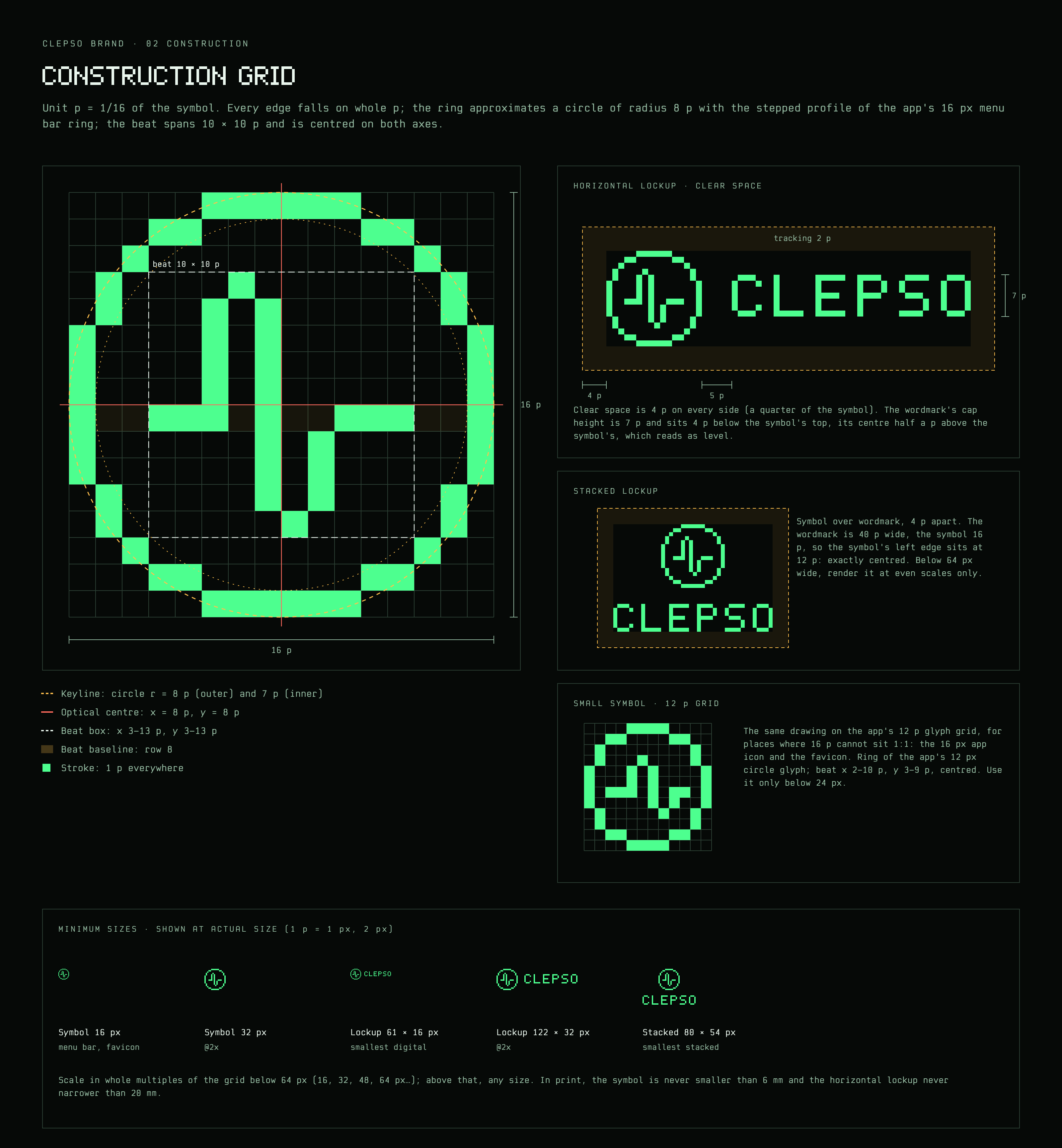
Unit p is 1/16 of the symbol. Every edge falls on whole p; the stroke is 1 p everywhere. Wordmark capitals are 7 p, tracked 2 p; the horizontal gap is 5 p; clear space is 4 p on every side.
4 p on every side: a quarter of the symbol's height. Nothing else enters it, including the edge of the screen or page.
Minimum size
Symbol 16 px (1 p = 1 px). Horizontal lockup 54 × 16 px. In print, symbol 6 mm, lockup 20 mm wide.
Scaling
Below 64 px, scale only in whole multiples (16, 32, 48, 64 px) so no pixel is resampled. Above 64 px, any size.
Small symbol
A 12 p drawing of the same mark, for the 16 px app icon and the favicon only, where 16 p cannot sit 1:1.
Colour
Always one flat colour. On dark grounds the signature is phosphor green; on paper, deep green; anywhere else, black or white.
Phosphor on inkDeep green on paperBlack, one colourWhite, reversed
Across themes
In the app the mark takes the active theme's accent. The shape never changes, so recognition never depends on green.
Phosphor · dark #4DFF8FPhosphor · light #0A7238Amber · dark #FFB547Amber · light #8A5000Cobalt · dark #6DB8FFCobalt · light #1650BEOrchid · dark #DA8CFFOrchid · light #8619ADGraphite · dark #E4E4E9Graphite · light #1E1E22
Misuse
The mark is pixels on a grid, in one colour, with room around it. Each example below breaks one of those.
✕Don’t stretch or squash it
✕Don’t rotate it
✕Don’t fill it with a gradient
✕Don’t outline it
✕Don’t add glows, shadows or bevels
✕Don’t resample it off the grid
Clepso
✕Don’t retype the wordmark
✕Don’t rearrange the lockup
✕Don’t set it on low contrast
App icon
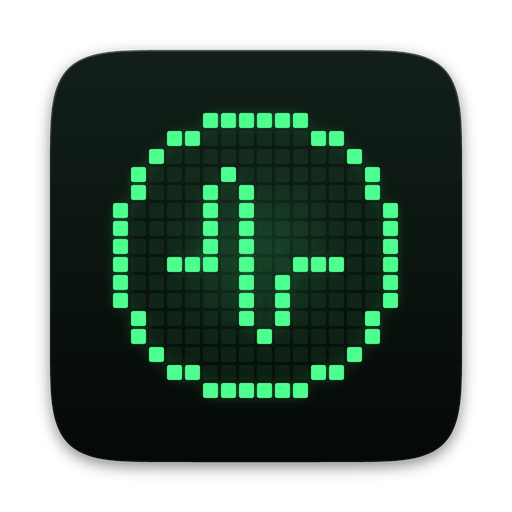
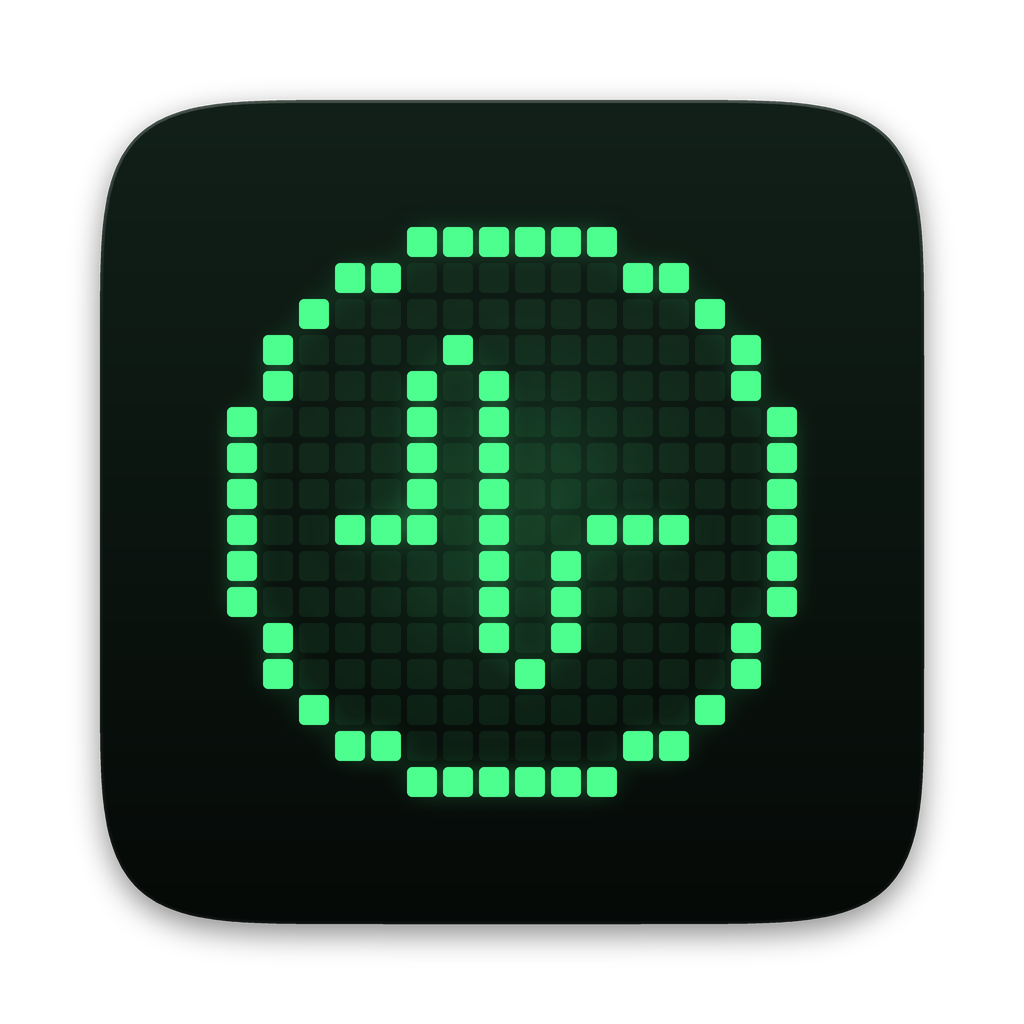
The symbol as a lit dot matrix on a phosphor screen. Every size is drawn on whole device pixels; 16 and 32 px are placed by hand, not scaled.
1024 px · shown 128
256 px · shown 128
128 px
64 px
32 px
16 px
Menu bar
A template image: opaque pixels on transparency, tinted by macOS for light, dark and tinted menu bars. The beat is the brand; the status family keeps the ring and changes what is inside, so no state rests on colour. When none of the readings behind the shape is live, the ring opens at five o'clock with a dot in the gap. The flatline appears only for a limit that reached 100% in its window, never with a % beside it; otherwise the % beside the mark is the highest live reading among the limits behind the shape, and there is none when those readings are old.
Components ask for a role (background, textSecondary, accent); only the theme knows the value. Every theme below is read from the Swift source at build time, and every text role is checked against every surface: 4.5:1 or better.
Signature colours
The brand's own palette, independent of any app theme. Phosphor on ink is the default; amber and rust only ever mean attention and blocked.
Phosphor#4DFF8F
The signature. Marks, accents, the live signal.
Ink#060907
Near-black glass. The default ground.
Paper#F3F1E7
The light ground. Warm, never pure white.
Deep#0A7238
Phosphor on paper: the accent in light mode.
Amber#FFC04D
Attention. Approaching a limit.
Rust#FF6B5E
Blocked. A limit reached, an error.
Themes
10 appearances from 5 themes. Each card shows the same limit row in that theme, its tokens and its contrast matrix. A theme added to Tokens.swift appears here on the next build.
Phosphor · dark
The signature: phosphor green on near-black glass; warm paper in light mode.
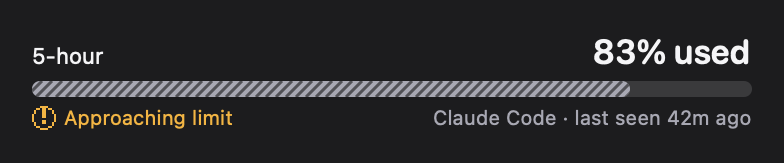
5-HOUR
83%
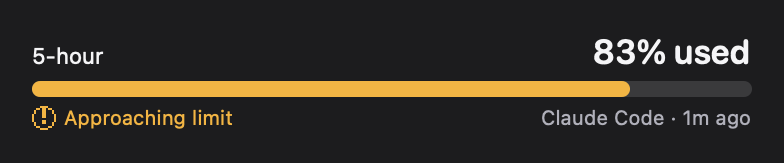
Approaching limit
Resets 20:01 · in 2h 14m
background#060907
surfaceElevated#0D1410
surfaceMuted#16211A
separator#2C4034
textPrimary#EAF7EE
textSecondary#93B9A0
accent#4DFF8F
statusSuccess#4DFF8F
statusAttention#FFC04D
statusBlocked#FF6B5E
statusStale#9AAFA2
statusUnknown#98A79E
Contrast: 24/24 pass AA · worst 5.93:1
Text on
background
surfaceElevated
surfaceMuted
textPrimary
18.13
16.93
15.03
textSecondary
9.23
8.61
7.65
accent
15.26
14.24
12.65
statusSuccess
15.26
14.24
12.65
statusAttention
12.29
11.47
10.18
statusBlocked
7.16
6.68
5.93
statusStale
8.60
8.03
7.13
statusUnknown
7.96
7.43
6.60
Phosphor · light
The signature: phosphor green on near-black glass; warm paper in light mode.
5-HOUR
83%
Approaching limit
Resets 20:01 · in 2h 14m
background#F3F1E7
surfaceElevated#FBFAF4
surfaceMuted#E4E0D0
separator#B9B29C
textPrimary#0F1A13
textSecondary#44564A
accent#0A7238
statusSuccess#0A7238
statusAttention#7E4C00
statusBlocked#AD241C
statusStale#52605A
statusUnknown#56615B
Contrast: 24/24 pass AA · worst 4.56:1
Text on
background
surfaceElevated
surfaceMuted
textPrimary
15.75
17.06
13.48
textSecondary
6.93
7.51
5.93
accent
5.33
5.78
4.56
statusSuccess
5.33
5.78
4.56
statusAttention
6.35
6.88
5.43
statusBlocked
6.09
6.59
5.21
statusStale
5.83
6.32
4.99
statusUnknown
5.70
6.17
4.87
Amber · dark
a warm amber CRT. Gold accent; "approaching" is a distinct orange so it never reads as the accent.
5-HOUR
83%
Approaching limit
Resets 20:01 · in 2h 14m
background#0C0803
surfaceElevated#17110A
surfaceMuted#241A0F
separator#4D3A22
textPrimary#FFF2DE
textSecondary#CDB08A
accent#FFB547
statusSuccess#9EDC78
statusAttention#FF8F45
statusBlocked#FF6E61
statusStale#BBA78E
statusUnknown#B6A48F
Contrast: 24/24 pass AA · worst 6.23:1
Text on
background
surfaceElevated
surfaceMuted
textPrimary
18.07
16.96
15.46
textSecondary
9.67
9.07
8.27
accent
11.37
10.66
9.72
statusSuccess
12.33
11.56
10.54
statusAttention
8.81
8.27
7.54
statusBlocked
7.28
6.83
6.23
statusStale
8.59
8.06
7.34
statusUnknown
8.27
7.76
7.07
Amber · light
a warm amber CRT. Gold accent; "approaching" is a distinct orange so it never reads as the accent.
5-HOUR
83%
Approaching limit
Resets 20:01 · in 2h 14m
background#F6F0E4
surfaceElevated#FCF9F2
surfaceMuted#EBDFC9
separator#C4AE88
textPrimary#2A1C0B
textSecondary#5C4830
accent#8A5000
statusSuccess#2E6A14
statusAttention#9E3D00
statusBlocked#AE2219
statusStale#5F5446
statusUnknown#625749
Contrast: 24/24 pass AA · worst 4.94:1
Text on
background
surfaceElevated
surfaceMuted
textPrimary
14.58
15.73
12.55
textSecondary
7.63
8.24
6.57
accent
5.73
6.19
4.94
statusSuccess
5.80
6.26
5.00
statusAttention
5.93
6.40
5.10
statusBlocked
6.08
6.56
5.24
statusStale
6.51
7.02
5.60
statusUnknown
6.21
6.70
5.35
Cobalt · dark
cool ice-blue on deep navy glass; mint for "available" so it stays apart from the blue accent.
5-HOUR
83%
Approaching limit
Resets 20:01 · in 2h 14m
background#050910
surfaceElevated#0B1322
surfaceMuted#141F33
separator#2B3D5C
textPrimary#E9F1FF
textSecondary#98ACD0
accent#6DB8FF
statusSuccess#4FE0B0
statusAttention#FFC95A
statusBlocked#FF7C88
statusStale#9CA8BE
statusUnknown#99A4B8
Contrast: 24/24 pass AA · worst 6.56:1
Text on
background
surfaceElevated
surfaceMuted
textPrimary
17.56
16.36
14.52
textSecondary
8.69
8.09
7.18
accent
9.45
8.80
7.81
statusSuccess
11.99
11.16
9.91
statusAttention
13.06
12.17
10.80
statusBlocked
8.06
7.51
6.67
statusStale
8.32
7.75
6.88
statusUnknown
7.94
7.39
6.56
Cobalt · light
cool ice-blue on deep navy glass; mint for "available" so it stays apart from the blue accent.
5-HOUR
83%
Approaching limit
Resets 20:01 · in 2h 14m
background#EEF2F8
surfaceElevated#FAFBFE
surfaceMuted#DCE3EF
separator#A8B5CB
textPrimary#0B1526
textSecondary#3E4D66
accent#1650BE
statusSuccess#0B6B4D
statusAttention#885000
statusBlocked#B01F2D
statusStale#515C6F
statusUnknown#545E6F
Contrast: 24/24 pass AA · worst 5.05:1
Text on
background
surfaceElevated
surfaceMuted
textPrimary
16.26
17.66
14.16
textSecondary
7.60
8.26
6.62
accent
6.39
6.94
5.56
statusSuccess
5.80
6.29
5.05
statusAttention
5.85
6.35
5.10
statusBlocked
6.07
6.59
5.28
statusStale
6.01
6.53
5.23
statusUnknown
5.83
6.33
5.07
Orchid · dark
violet glass with an orchid-magenta accent, synthwave without the neon glare.
5-HOUR
83%
Approaching limit
Resets 20:01 · in 2h 14m
background#0B0712
surfaceElevated#150E22
surfaceMuted#221734
separator#412E5E
textPrimary#F7EEFF
textSecondary#BDA7DA
accent#DA8CFF
statusSuccess#5EE3A6
statusAttention#FFC75E
statusBlocked#FF7299
statusStale#AC9FBB
statusUnknown#AA9EB8
Contrast: 24/24 pass AA · worst 6.55:1
Text on
background
surfaceElevated
surfaceMuted
textPrimary
17.69
16.67
15.02
textSecondary
9.21
8.68
7.82
accent
8.71
8.21
7.40
statusSuccess
12.35
11.64
10.49
statusAttention
12.89
12.15
10.95
statusBlocked
7.71
7.26
6.55
statusStale
8.00
7.54
6.80
statusUnknown
7.87
7.42
6.69
Orchid · light
violet glass with an orchid-magenta accent, synthwave without the neon glare.
5-HOUR
83%
Approaching limit
Resets 20:01 · in 2h 14m
background#F6F1F9
surfaceElevated#FDFBFE
surfaceMuted#E9DFF1
separator#C0AED2
textPrimary#1C1027
textSecondary#53426A
accent#8619AD
statusSuccess#116A44
statusAttention#8A4C00
statusBlocked#AD1C48
statusStale#5C5367
statusUnknown#5E5569
Contrast: 24/24 pass AA · worst 5.14:1
Text on
background
surfaceElevated
surfaceMuted
textPrimary
16.37
17.70
14.13
textSecondary
8.01
8.66
6.92
accent
6.85
7.40
5.91
statusSuccess
5.95
6.44
5.14
statusAttention
6.06
6.55
5.23
statusBlocked
6.21
6.72
5.36
statusStale
6.53
7.07
5.64
statusUnknown
6.33
6.85
5.47
Graphite · dark
monochrome, ink and paper; the accent is the type colour itself, so only states carry hue.
5-HOUR
83%
Approaching limit
Resets 20:01 · in 2h 14m
background#0A0A0B
surfaceElevated#141416
surfaceMuted#1F1F22
separator#3B3B41
textPrimary#F2F2F3
textSecondary#A6A6AE
accent#E4E4E9
statusSuccess#6FD69A
statusAttention#F0B85A
statusBlocked#FF7C72
statusStale#9E9EA6
statusUnknown#9C9CA4
Contrast: 24/24 pass AA · worst 6.03:1
Text on
background
surfaceElevated
surfaceMuted
textPrimary
17.69
16.45
14.69
textSecondary
8.19
7.61
6.80
accent
15.62
14.52
12.97
statusSuccess
11.08
10.30
9.21
statusAttention
11.03
10.26
9.17
statusBlocked
7.90
7.34
6.56
statusStale
7.44
6.92
6.18
statusUnknown
7.26
6.75
6.03
Graphite · light
monochrome, ink and paper; the accent is the type colour itself, so only states carry hue.
5-HOUR
83%
Approaching limit
Resets 20:01 · in 2h 14m
background#F2F2F0
surfaceElevated#FCFCFB
surfaceMuted#E2E2DF
separator#B4B4AF
textPrimary#121214
textSecondary#4B4B53
accent#1E1E22
statusSuccess#186E3E
statusAttention#885000
statusBlocked#B1251D
statusStale#58585F
statusUnknown#5B5B62
Contrast: 24/24 pass AA · worst 4.85:1
Text on
background
surfaceElevated
surfaceMuted
textPrimary
16.69
18.23
14.41
textSecondary
7.71
8.42
6.66
accent
14.82
16.18
12.80
statusSuccess
5.61
6.13
4.85
statusAttention
5.86
6.40
5.06
statusBlocked
5.94
6.49
5.13
statusStale
6.30
6.87
5.44
statusUnknown
6.01
6.56
5.19
Never colour alone
Every state has a symbol, words and a bar pattern as well as a colour (tested in the app). Recolouring can never merge two meanings.
Accent is for signal
Use the accent for the live figure, the mark and links, not for decoration or large fills.
Status colours are reserved
Attention and blocked colours appear only when a limit is near or reached.
03 / TYPOGRAPHY
Typography
Two faces drawn for Clepso, one geometry. Clepso Pixel speaks in numbers and labels; Clepso Mono explains. Both are built in code from the same grid logic, so the display face and the body face share corners, rhythm and figures.
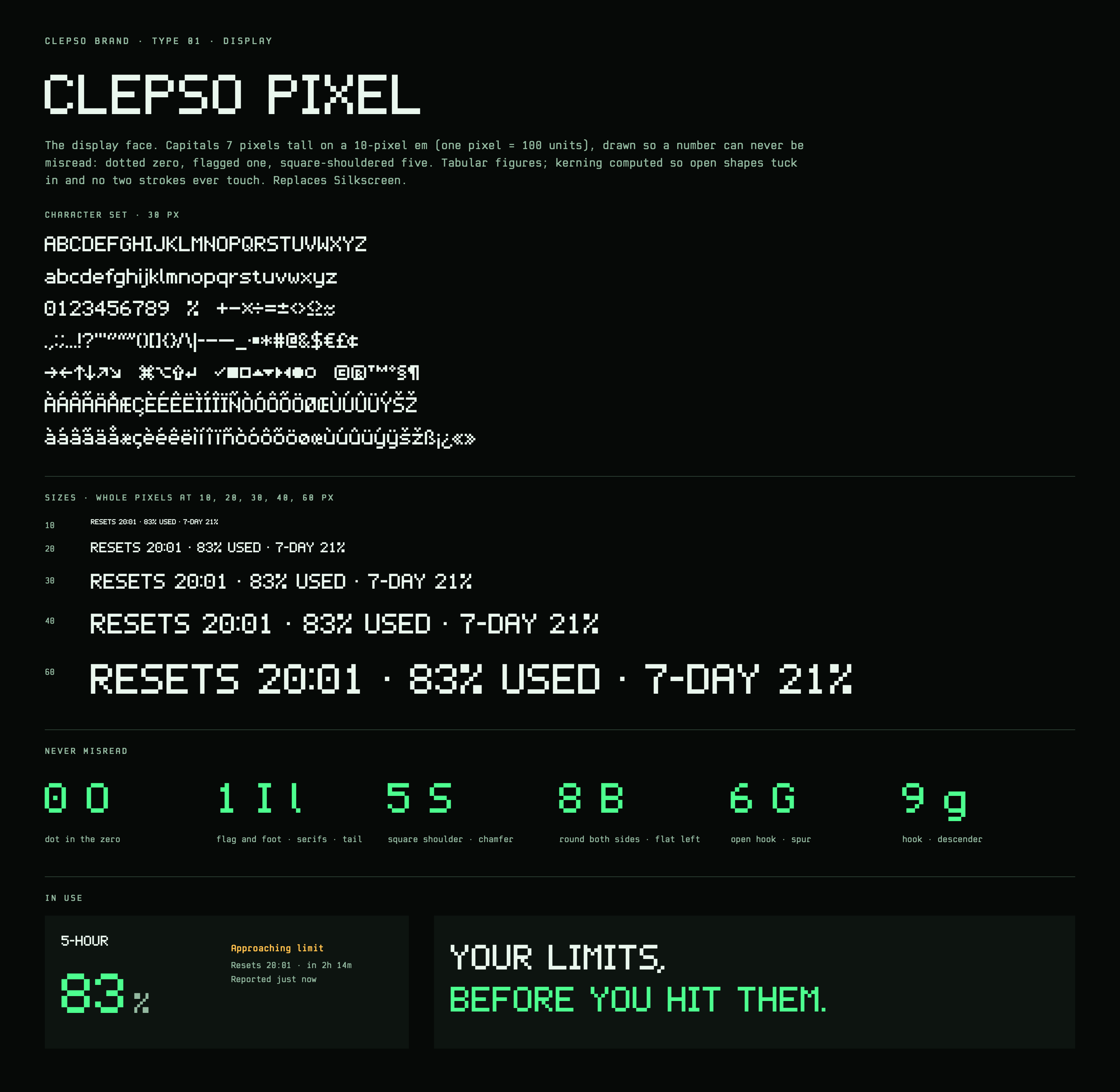
Display
Aa 0123
Clepso Pixel
Capitals 7 pixels tall on a 10-pixel em. Drawn so a number is never misread: dotted 0, flagged 1 with a foot, square-shouldered 5. Tabular figures; kerning that tucks open shapes in without ever touching a stroke.
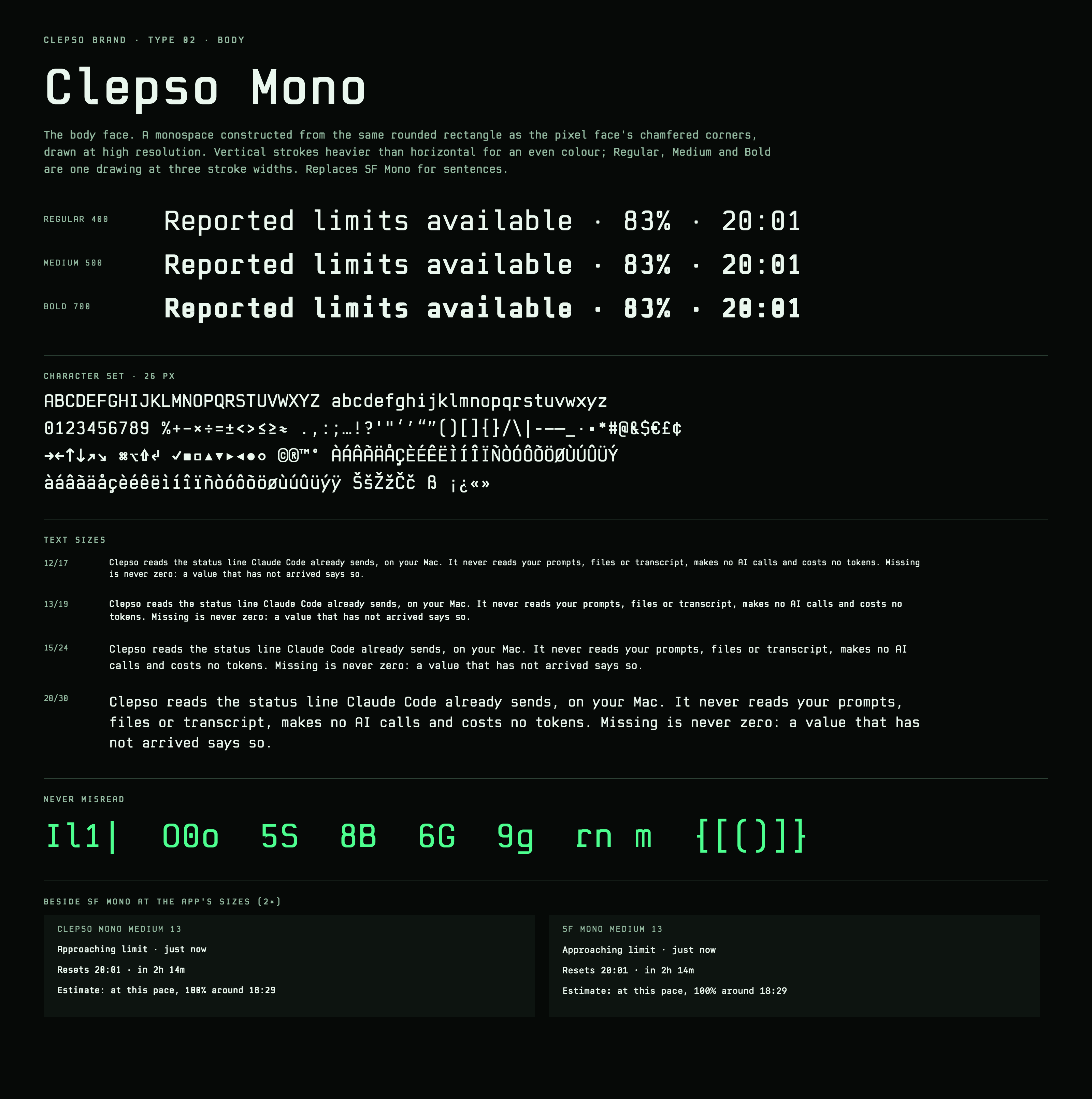
A monospace constructed from the rounded rectangle behind the pixel face's chamfered corners. Vertical strokes heavier than horizontal for an even texture; three weights from one drawing.
The figures were drawn around the confusions a monitor cannot afford. The founder's own review found “8.5B” read as “8.SB” in the previous pixel face.
0O 1Il 5S 8B 6G 9g
Il1| 0Oo 5S 8B 6G 9g rn m
Scale · app
The app's typography tokens. Pixel sizes are multiples of 5 pt, so on a Retina display every pixel of Clepso Pixel lands on whole device pixels.
Token
Sample
Face · size / line
metricHeroThe big percentage
83% · RESETS 20:01
Clepso Pixel Regular · 35/40 ptwas Silkscreen 34
metricMediumSecondary figures
5-HOUR LIMIT · 83%
Clepso Pixel Regular · 20/24 ptwas Silkscreen 22
titleCard titles, tabs, buttons
5-HOUR LIMIT · 83%
Clepso Pixel Regular · 15/20 ptwas Silkscreen 15
labelStatus words, row labels
Resets 20:01 · in 2h 14m
Clepso Mono Medium · 13/18 ptwas SF Mono Medium 13 (.body)
supportingReset lines, freshness, notes
Resets 20:01 · in 2h 14m
Clepso Mono Regular · 12/17 ptwas SF Mono 12 (.callout)
microBadges, tiny captions
RESETS 20:01 · IN 2H 14M
Clepso Mono Medium · 12/16 pt · +0.4was SF Mono Semibold 12
menuBarPercentage beside the menu bar icon
5-HOUR LIMIT · 83%
Clepso Pixel Regular · 10/12 ptwas Silkscreen 11
Scale · web
On the web, pixel sizes are multiples of 10 px. Headings drop a step on phones (h1 50 → 30).
Token
Sample
Face · size / line
displayHero wordmark-scale lines (50 on phones)
83% USED
Clepso Pixel Regular · 80/80 px (shown at 60)
h1Page titles (30 on phones)
83% USED
Clepso Pixel Regular · 50/56 px
h2Section titles
83% · RESETS 20:01
Clepso Pixel Regular · 30/36 px
h3Sub-sections, card titles
5-HOUR LIMIT · 83%
Clepso Pixel Regular · 20/24 px
figureStat figures
83% USED
Clepso Pixel Regular · 60/60 px
eyebrowKickers, table heads, labels
RESETS 20:01 · IN 2H 14M
Clepso Mono Medium · 12/16 px · +1.7
bodyRunning text
Resets 20:01 · in 2h 14m
Clepso Mono Regular · 15/24 px
smallCaptions, notes
Resets 20:01 · in 2h 14m
Clepso Mono Regular · 13/20 px
Pairing
Pixel for numbers and short labels, usually uppercase. Mono for anything that is a sentence. Never a sentence in Clepso Pixel; never a big figure in Clepso Mono.
Pixel snapping
Clepso Pixel's pixel is 1/10 em. Use 15, 20, 25, 30, 35, 40 pt in the app and 10, 20, 30, 50, 60, 80 px on the web; anything else blurs.
No faux styles
No synthetic bold or italic of the pixel face, no tracking on it (its spacing is in whole pixels already), no outlines or shadows on type.
Fallback
Clepso Mono covers ASCII and Latin-1. Keep the system monospace behind it: names outside the set fall back per character.
Clepso Pixel specimen, rendered by CoreText · full sizeClepso Mono specimen, beside SF Mono at the app’s sizes · full size
04 / ICONOGRAPHY
Iconography
58 icons, each drawn on a 12 × 12 pixel grid with a 1-pixel stroke: the mark's rules at a smaller grid. Read from PixelGlyphBitmaps.swift at build time, so this is exactly the set the app draws.
home
gauge
terminal
calendar
people
card
target
person
gear
power
percent
bell
link
dollar
bars
export
demo
trash
heartbeat
envelope
chevron left
chevron right
info
warning
square
check square
x square
dashed square
flame
cursor
flag
code
circle
circle alert
circle alert fill
nosign
reset
check circle
minus circle
ellipsis circle
link plus
bolt slash
live
clock
clock alert
seal
person check
question
bubble
trend
arrow c c w
half circle
key
chevron back
palette
external
grid
refresh
Grid
12 × 12 p, 1 p stroke, no anti-aliasing. Sizes are multiples of 6 pt (12, 18, 24) so pixels stay whole.
Colour
An icon takes the colour of the text beside it. Status colour only when the icon is the status.
Shape carries meaning
Within a family no two states share a shape. A new icon is drawn here first, at 1×, before it ships.
Never mix
No smooth system symbols beside pixel icons, and no icon redrawn at a finer grid to make it fit.
05 / COMPONENTS
Components
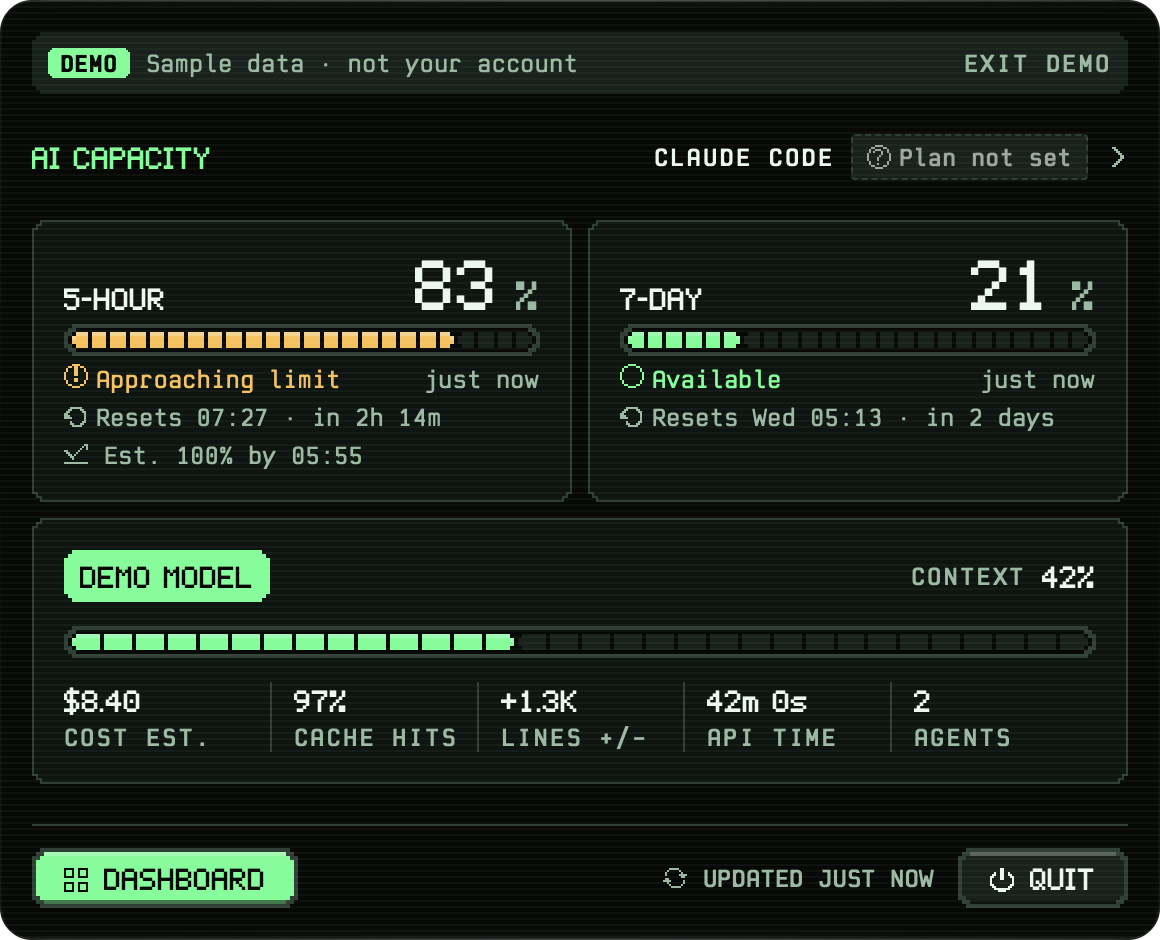
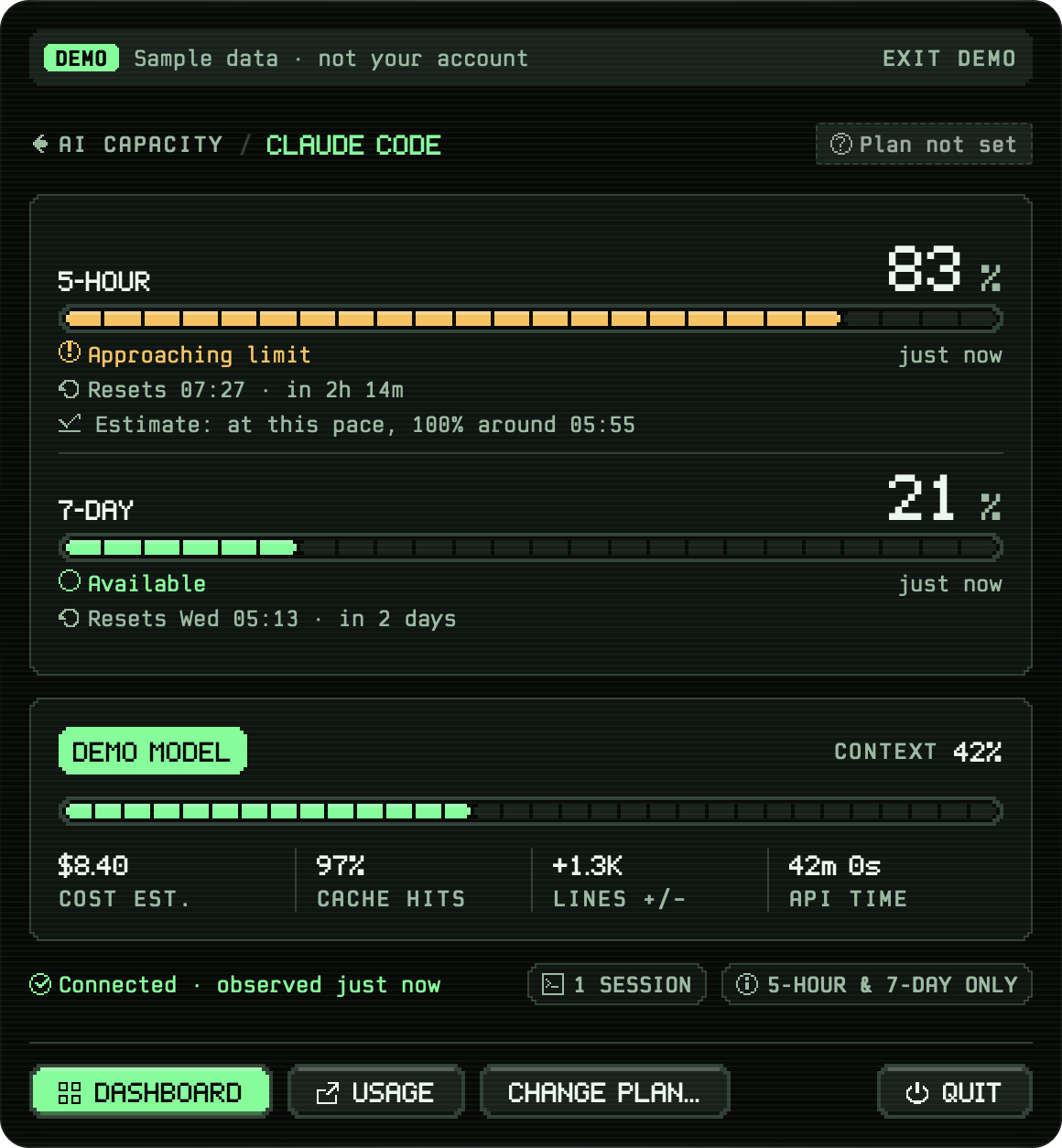
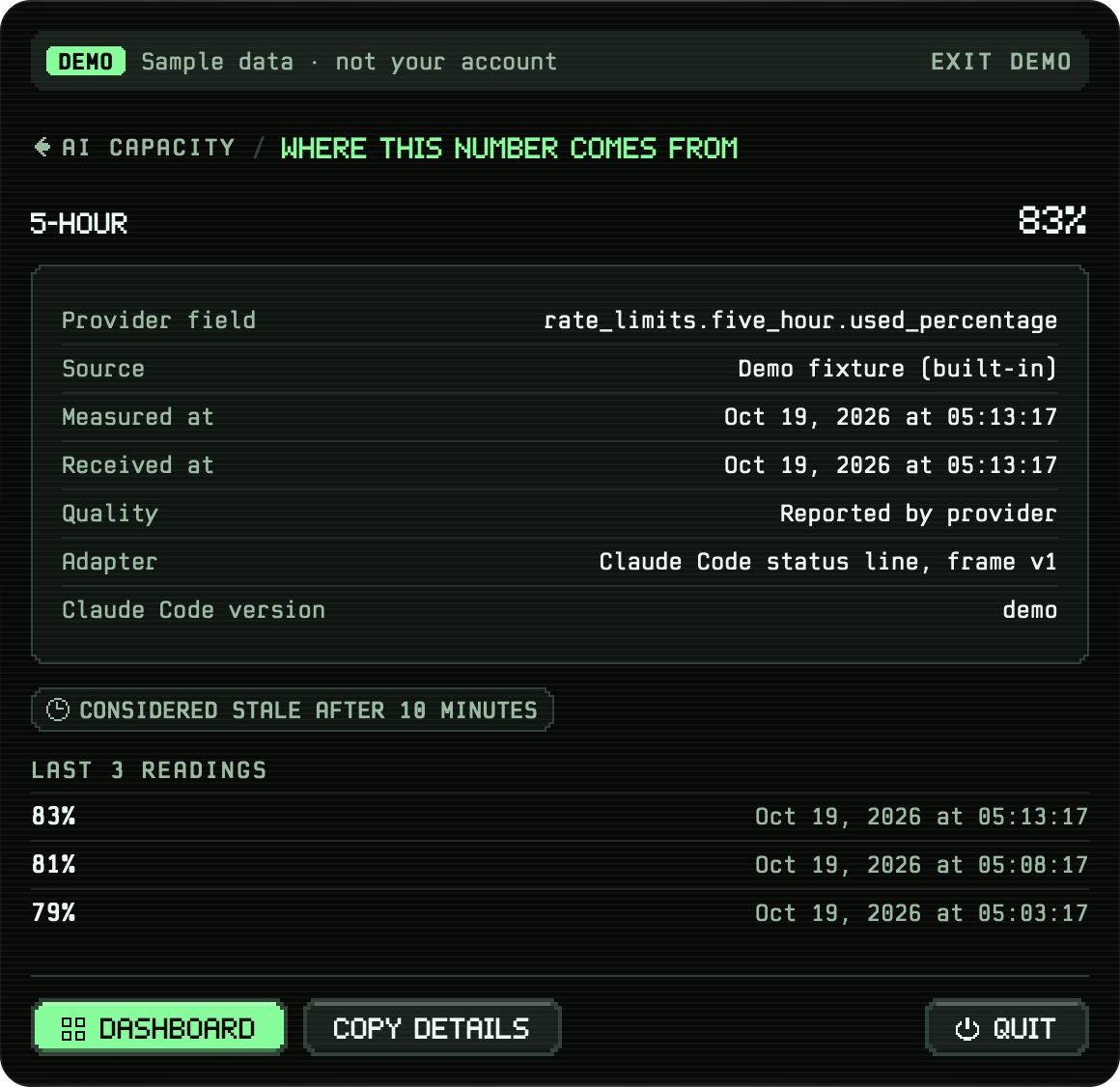
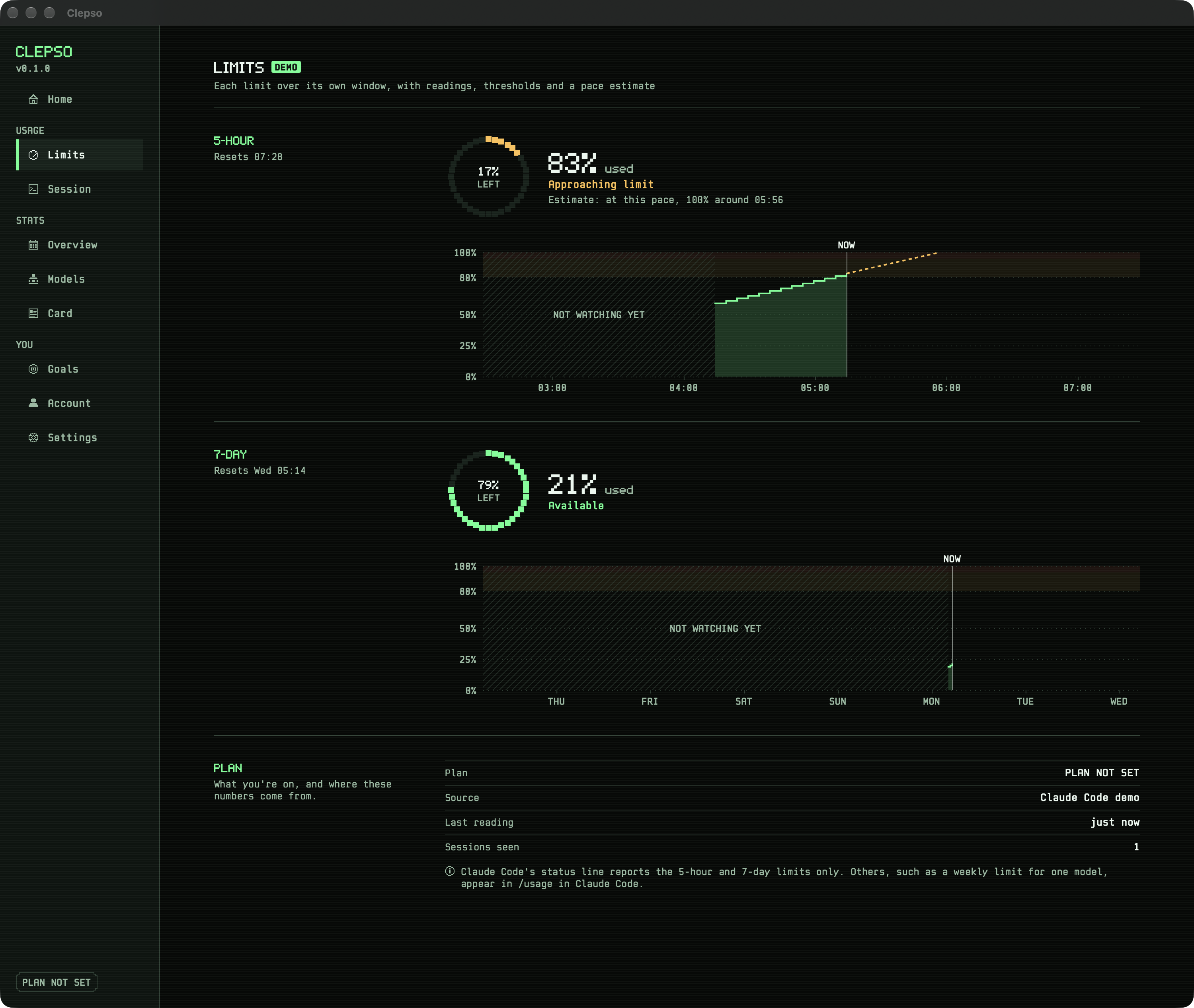
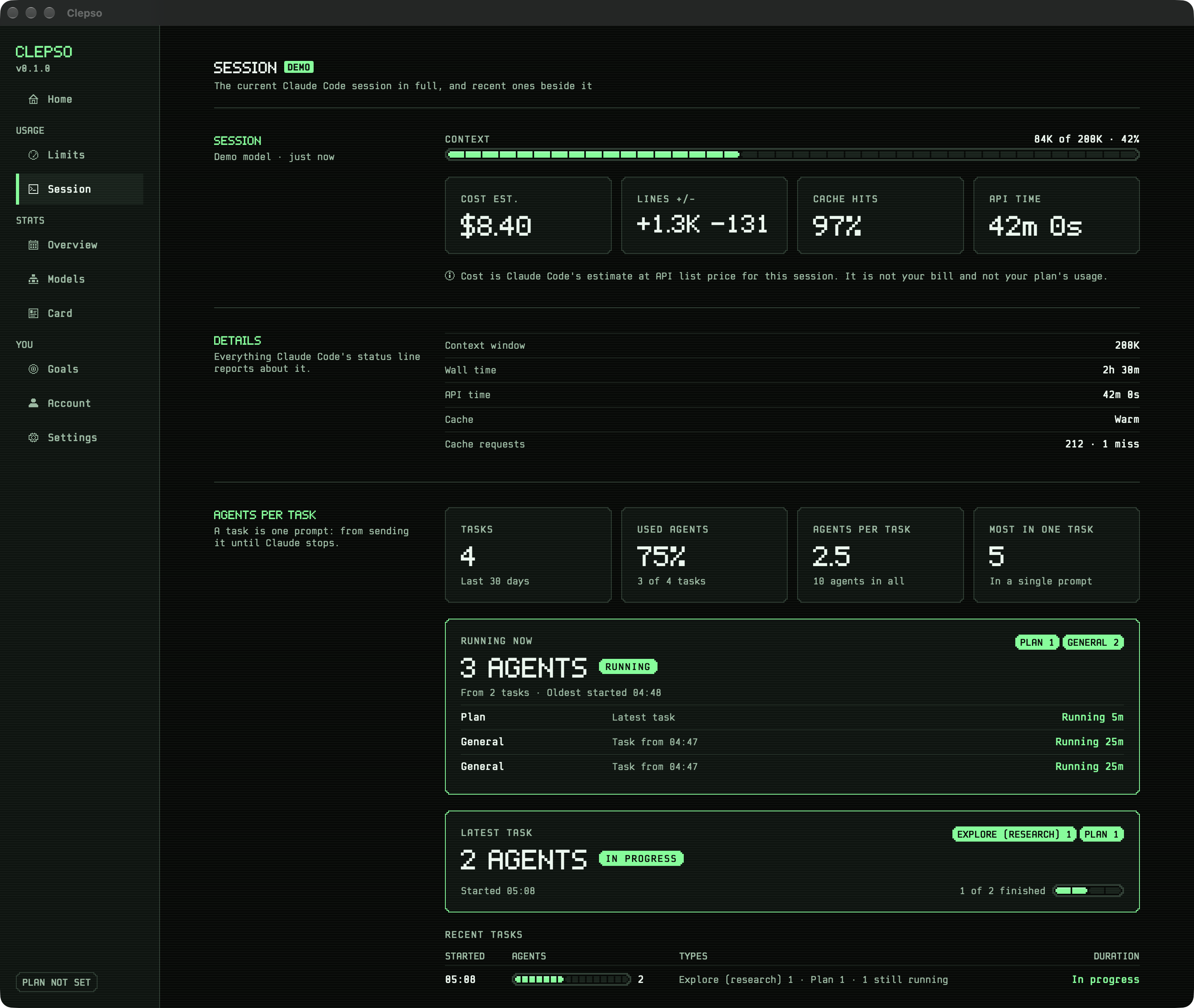
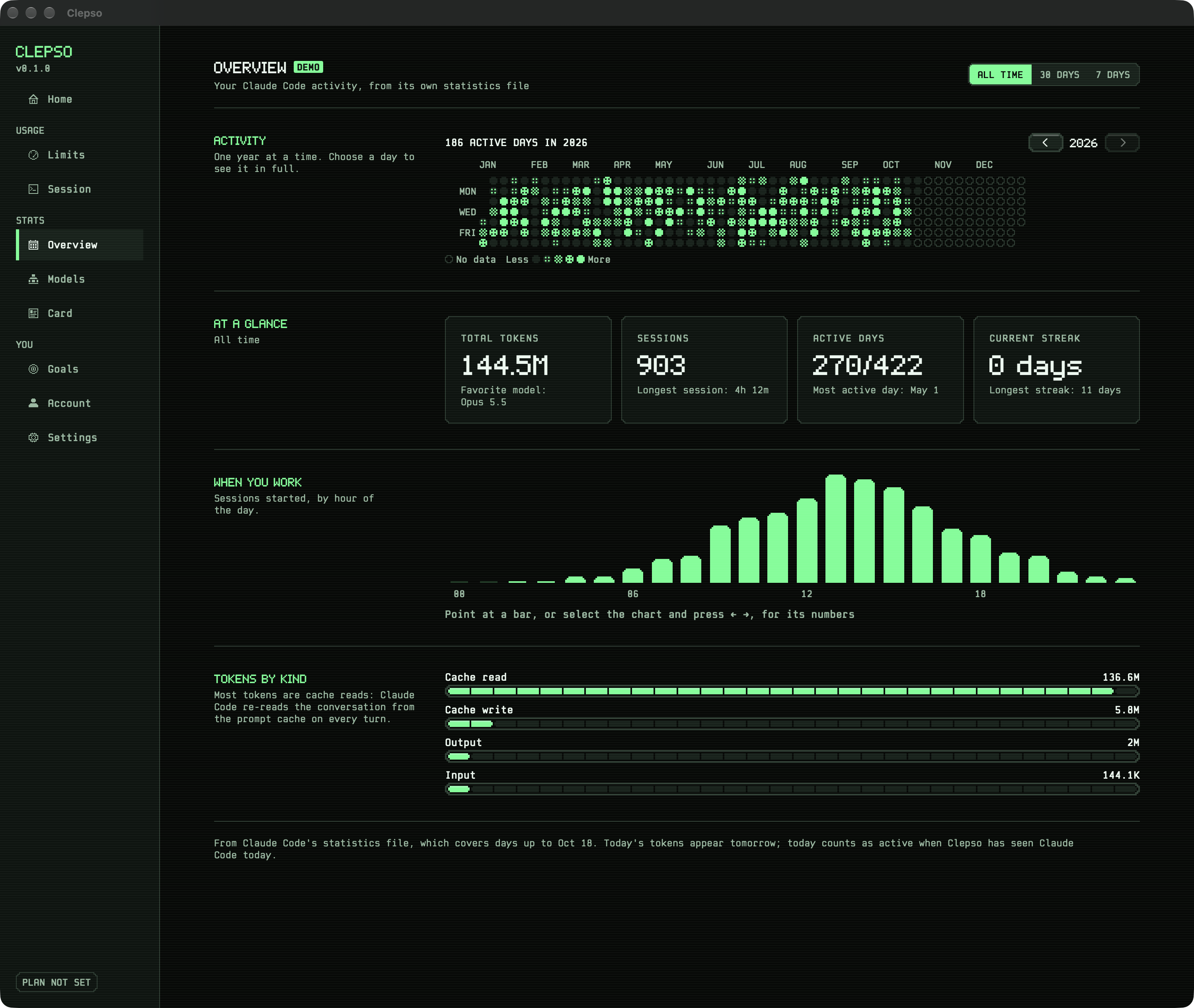
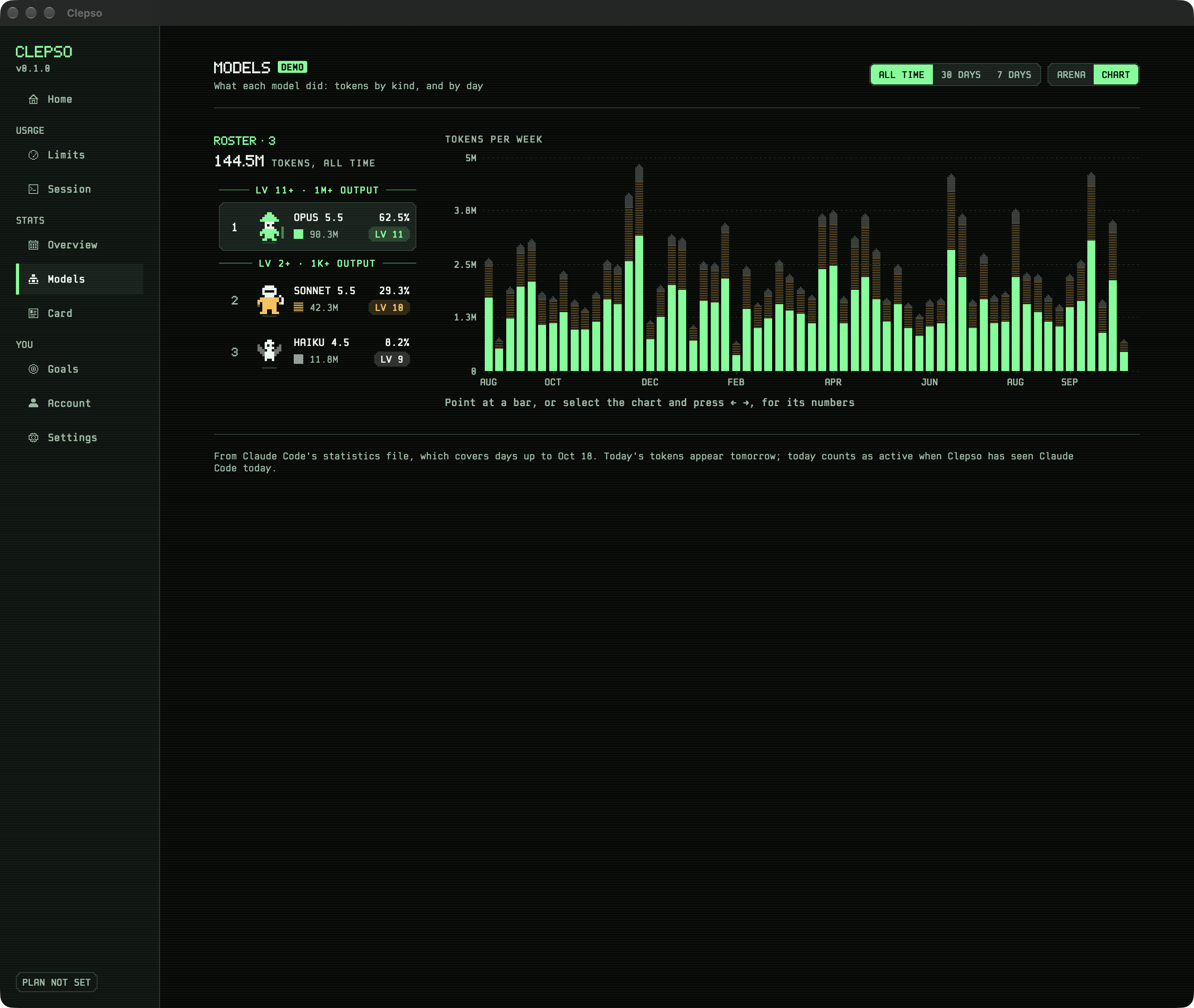
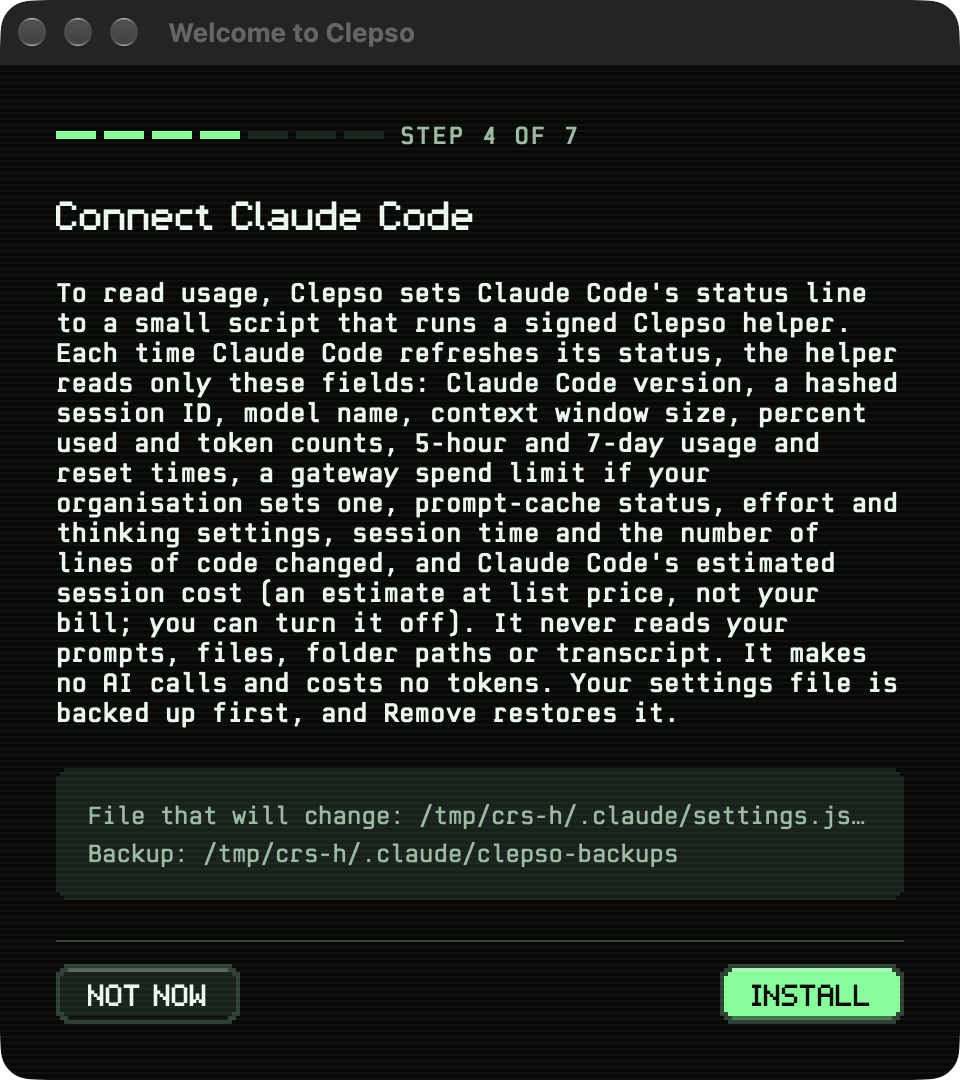
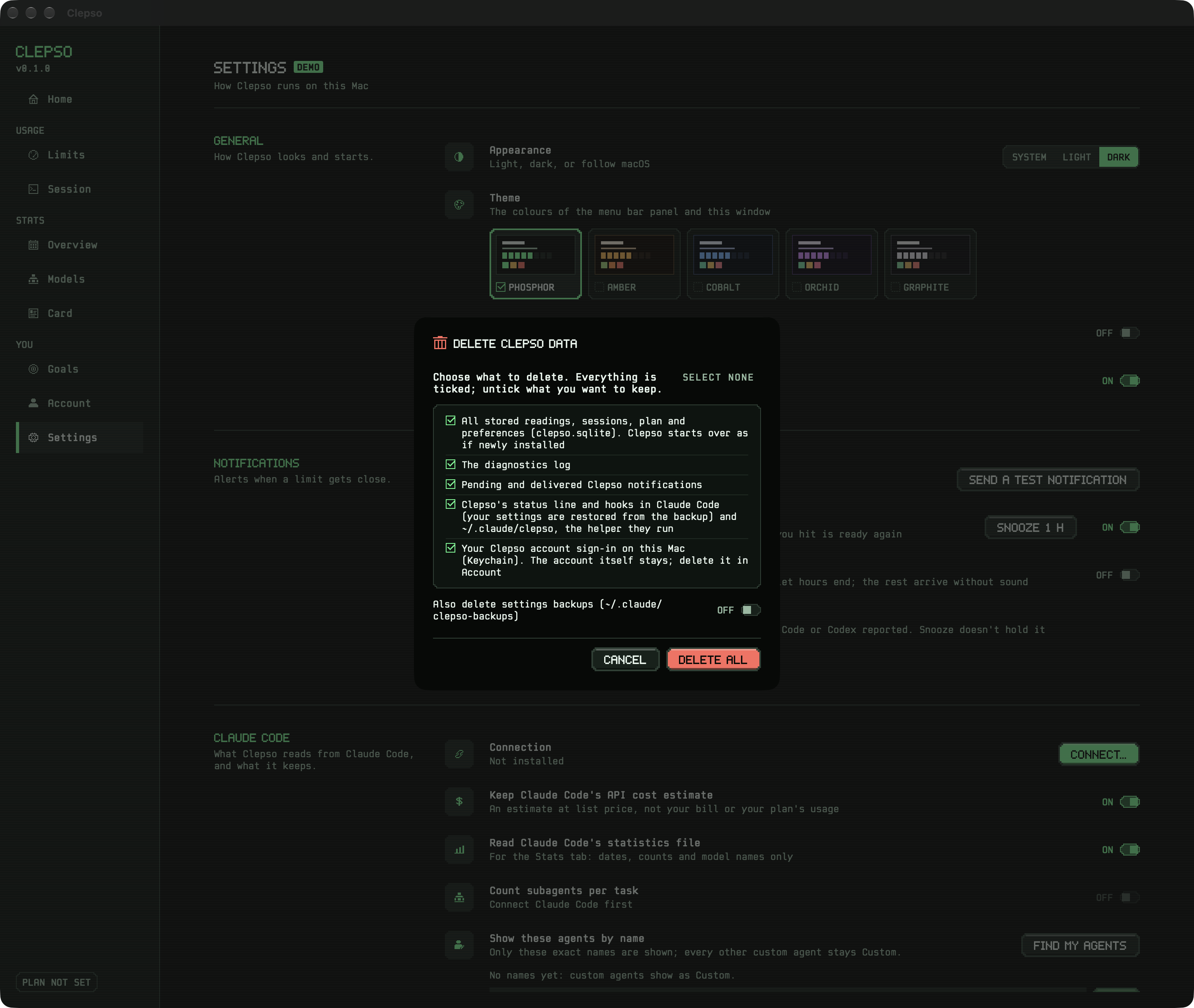
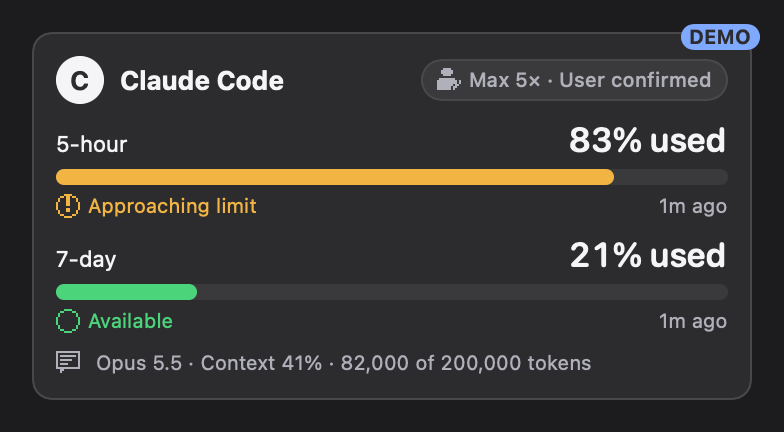
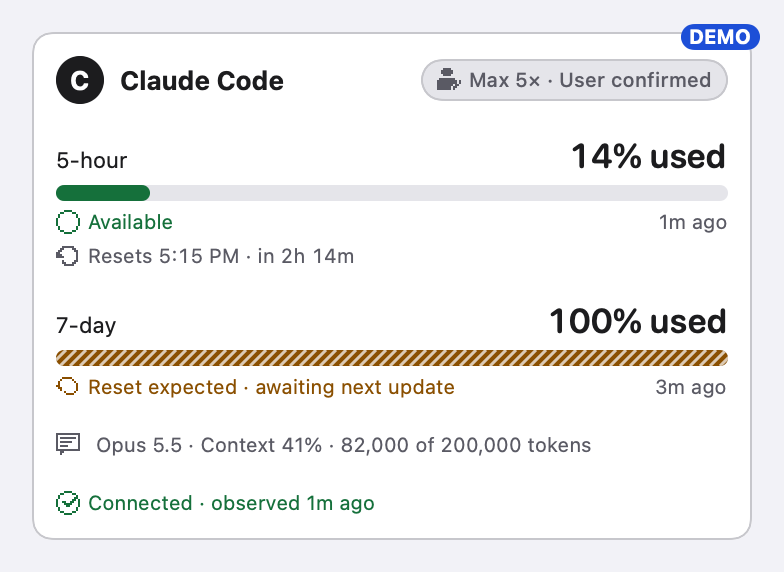
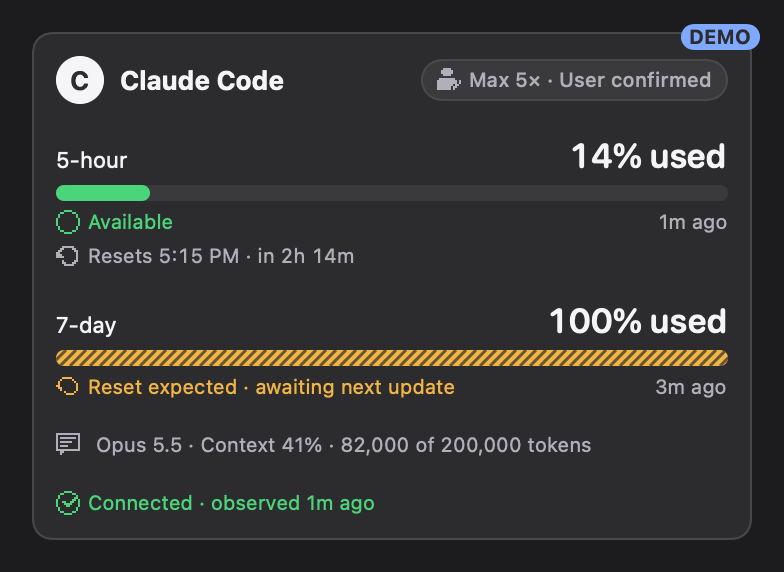
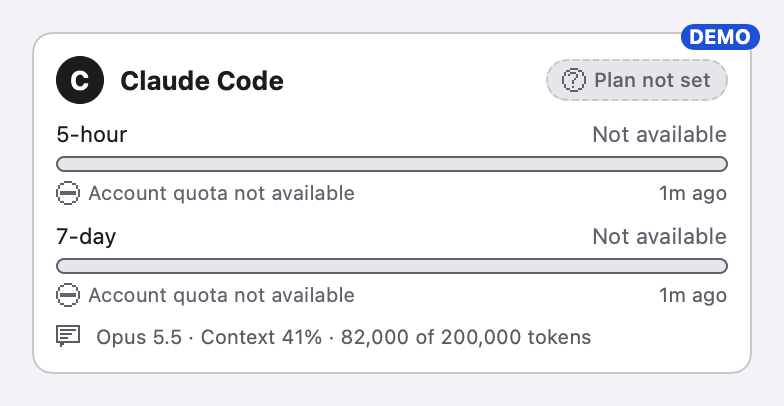
The SwiftUI components behind the app, rendered from the Swift code by clepso-design-render. Every image here is the real component or the running app, in demo data.
A number always says where it came fromEvery value shows its source and age. Components take provenance-carrying values; there is no bare-number input.
Missing is never zeroAbsent, null, stale and not connected are four states with their own words. None renders as 0%.
Never colour aloneEach state has a symbol, words, a bar pattern and a spoken phrase.
Restyle without changing meaningPalette, spacing and layout can change. State names, labels and accessibility text are locked and tested.
Screens
The running app in demo data, captured from the signed bundle.
Menu bar popoverProvider detailWhere this number comes fromDetails · Limits: history and paceDetails · SessionDetails · Stats overviewDetails · Stats modelsOnboarding · consentDelete all, confirmation
Phosphor components
The pixel layer. Every shape is drawn in code on a pixel grid, so it stays sharp and scales with text size.
PixelLimitRow
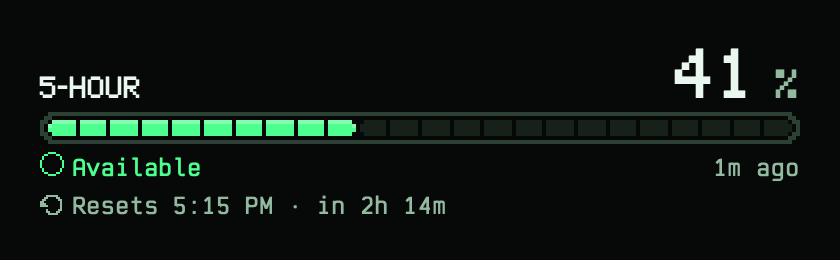
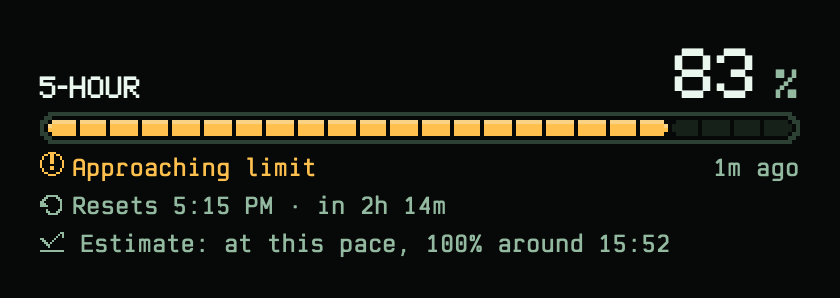
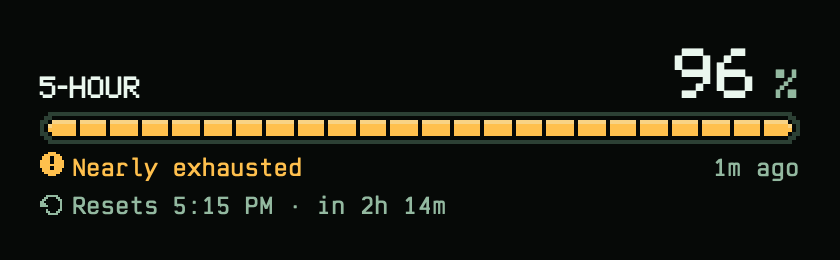
One allowance pool in the pixel style. Same status words, freshness, reset line and VoiceOver sentence as QuotaProgress (tested); the optional pace line always says “Estimate”.
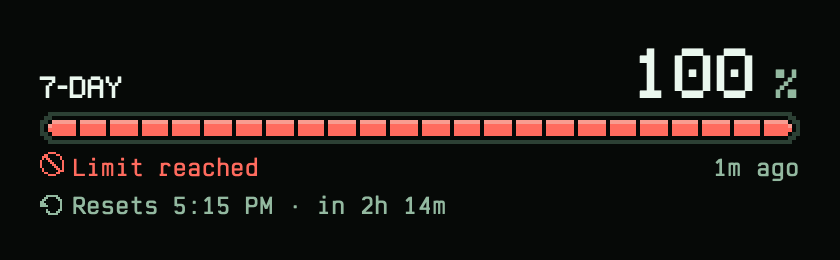
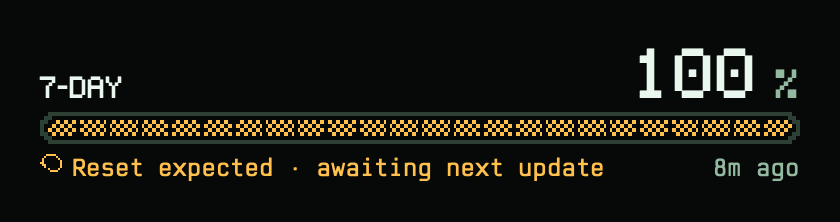
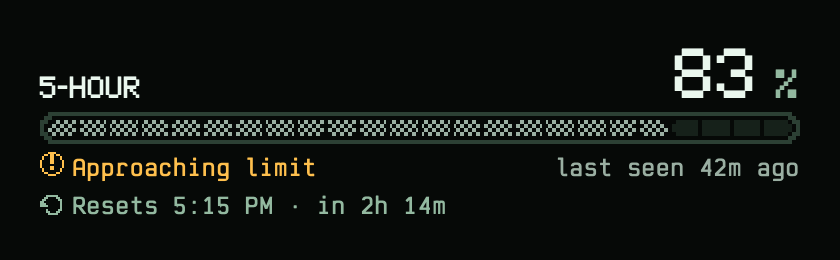
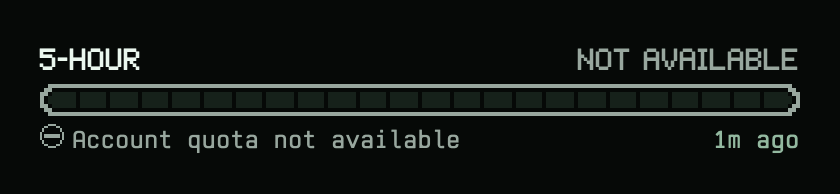
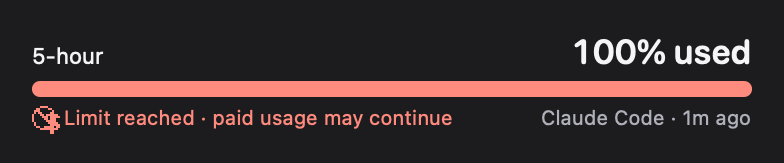
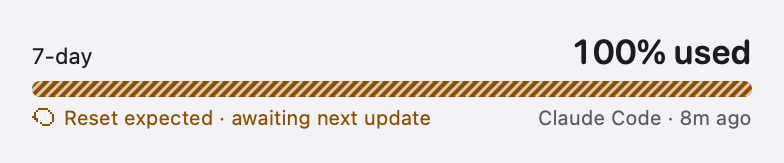
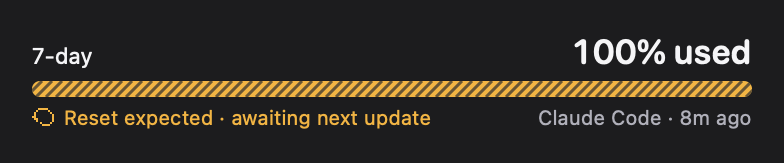
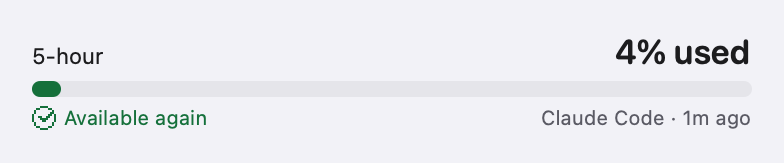
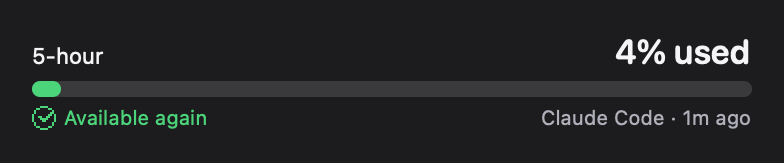
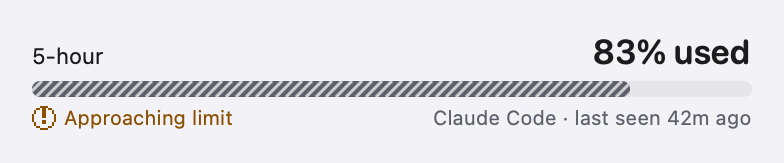
Available, livelimit-availableApproaching, with a pace estimatelimit-approachingNearly exhaustedlimit-criticalLimit reached, reset knownlimit-exhaustedReset time passed, no fresh readinglimit-reset-expectedStale: dithered bar, last seenlimit-staleNot reported (F06): words, empty outlined bar, never 0%limit-not-available
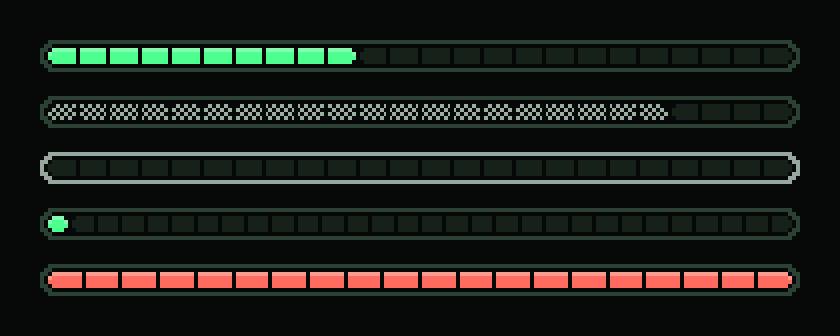
PixelBar
The segmented bar. The fill follows the frame's stepped pixels: the lit and empty runs step one pixel in from the frame, so a one-pixel gap runs all the way round, corners included. Stale values are dithered and missing values draw only an outline, so meaning never rests on colour.
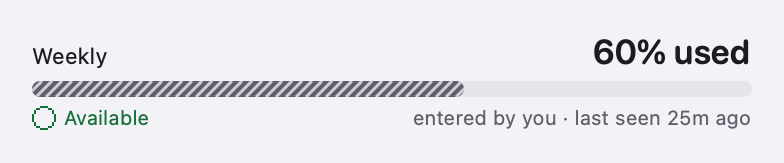
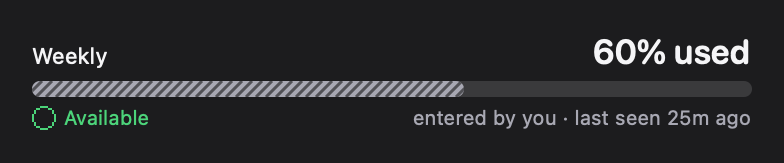
Solid, dithered (stale) and outlined (no value): the non-colour cues. The fill steps one pixel in from the framebars
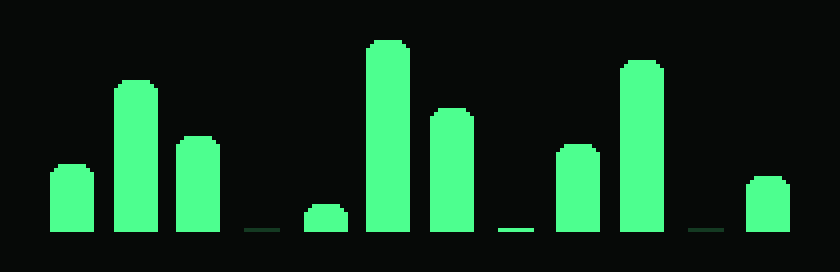
PixelColumns
Every bar chart (Home's last 30 days, when you work, tokens per day) is drawn here: whole-pixel widths, heights in whole pixels from the baseline, top corners stepped like the frame's, and a faint one-pixel stub for none.
Bar charts: whole-pixel bars with stepped tops, a faint stub for nonecolumns
PixelButtonStyle
Bevelled pixel buttons: a lit top edge and a shaded bottom edge that swap when pressed.
Prominent, normal and disabled; the bevel swaps when pressedbuttons
PixelTabs
Tabs in the pixel-pack manner, used in the Details window and Stats.
Selected tab lit, others recessedtabs
PixelStat
A value over a small pixel caption, for the session strip and Stats.
Value over a pixel captionstats
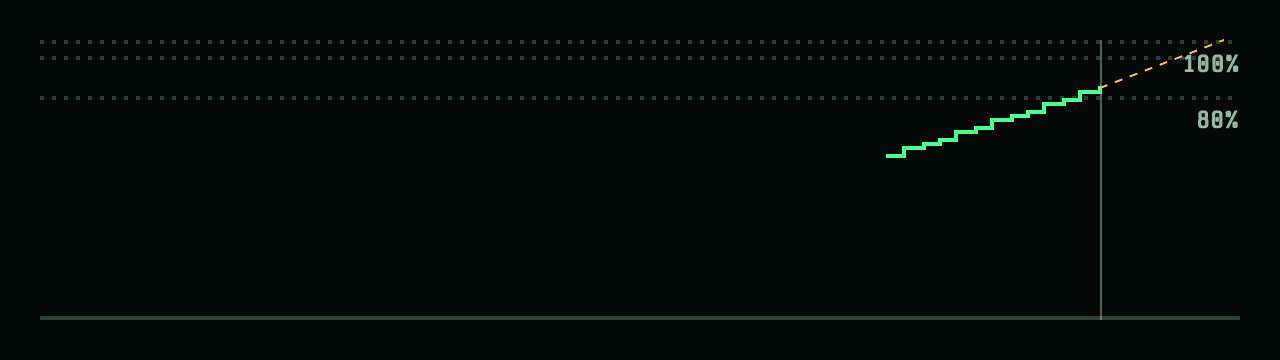
PixelLineChart
History drawn as steps snapped to a pixel grid, with dotted 80/95/100 guides, NOW, and the dashed pace projection. VoiceOver reads a sentence instead of the drawing.
Usage history: steps on a pixel grid, 80/95/100 guides, NOW, dashed pacechart
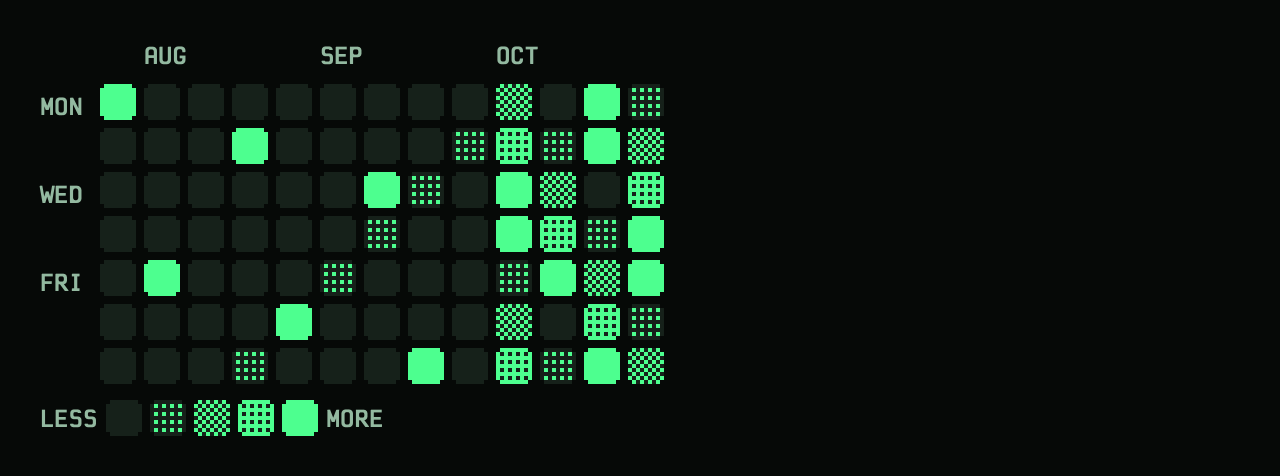
PixelHeatmap
Activity like Claude Code's /stats: one column per week, Monday on top, four levels plus empty. Each day is a PixelLevelTile, so the level is pixel density, not shade.
Activity like /stats: Monday on top, four levels as pixel density, Less → Moreheatmap
PixelLevelTile
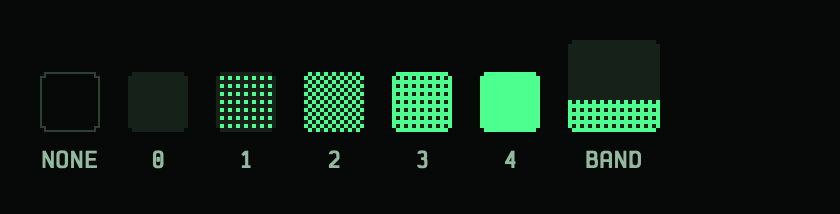
One day of an activity calendar on the 2 pt pixel grid, with notched corners. Levels are pixel density: a few lit pixels, a checkerboard, solid with holes, solid; the pattern says the level without relying on colour. No data is the outline only. In the 30-day view the figures sit on the plain ground and the level lights a band of the bottom pixel rows.
No data (outline), levels 0–4 as pixel density, and the 30-day view's band under the figurestiles
PixelPanel
The frame every pixel screen sits in: stepped corners, an outer frame and an inner rule; glass behind it in the app.
Stepped corners, outer frame, inner rule (glass in the app)panel
Typography
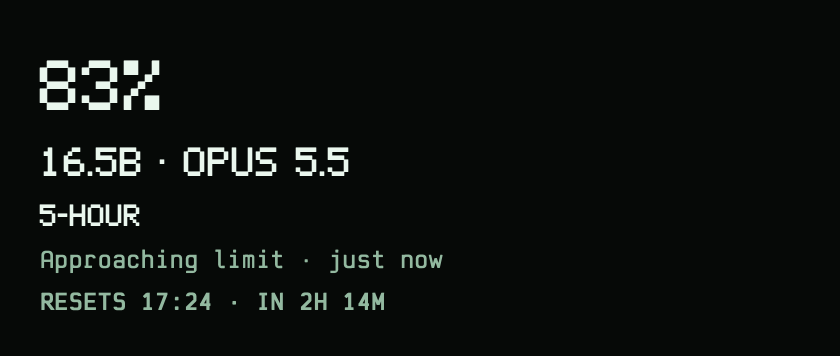
Clepso Pixel for figures, titles and labels; Clepso Mono for sentences. Both are drawn for Clepso and bundled in the app.
Clepso Pixel for figures and labels, Clepso Mono for sentencestype
Status styles
The single lookup from a state to how it looks and reads. Within each family no two states share a shape (tested).
Family
State
Glyph
Label
VoiceOver
Colour role
Pattern
value
live
Live
“live”
textSecondary
solid
value
stale
Last seen
“last seen”
statusStale
hatched
value
notAvailable
Not available
“not available”
statusUnknown
outline
value
notReportedYet
Not reported yet
“not reported yet”
statusUnknown
outline
value
notConnected
Not connected
“not connected”
statusUnknown
dashed
value
providerError
Couldn't read last update
“couldn't read last update”
statusBlocked
outline
card
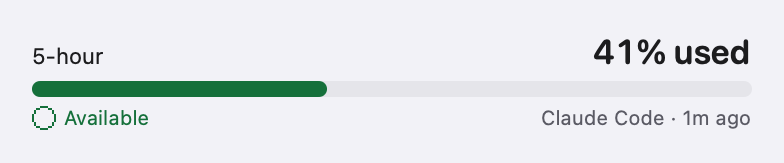
available
Available
“available”
statusSuccess
solid
card
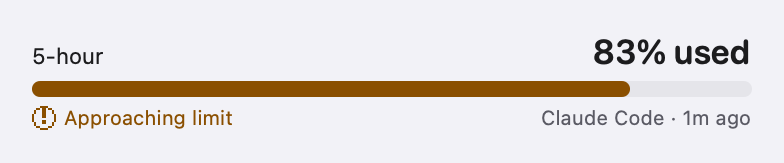
approaching
Approaching limit
“approaching limit”
statusAttention
solid
card
critical
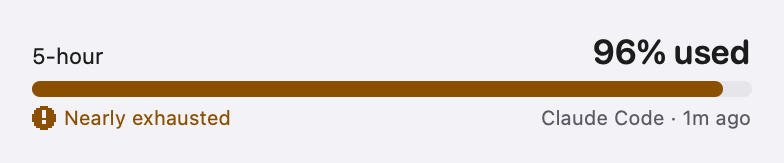
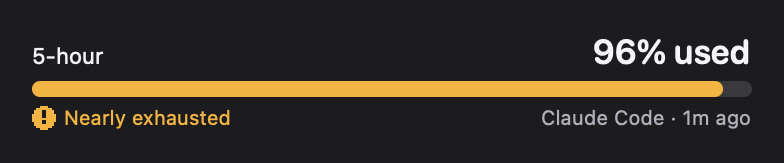
Nearly exhausted
“nearly exhausted”
statusAttention
solid
card
exhausted
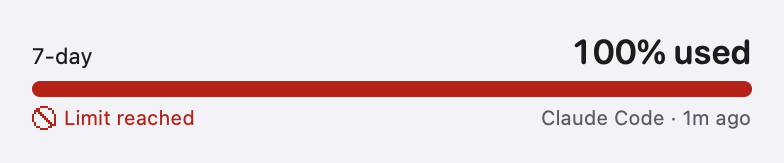
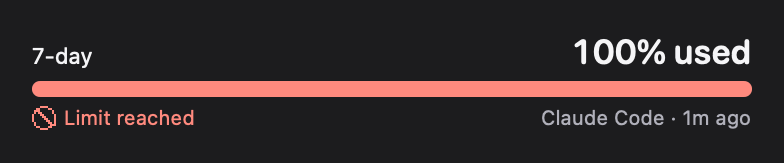
Limit reached
“limit reached”
statusBlocked
solid
card
exhaustedNoReset
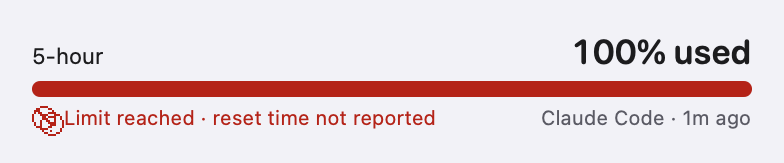
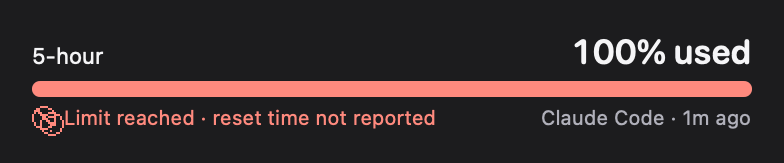
Limit reached · reset time not reported
“limit reached, reset time not reported”
statusBlocked
solid
card
exhaustedOverage
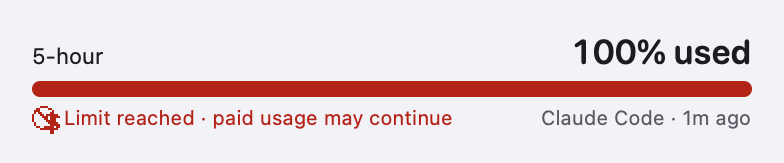
Limit reached · paid usage may continue
“limit reached, paid usage may continue”
statusBlocked
solid
card
resetExpected
Reset expected · awaiting next update
“reset expected, awaiting next update”
statusAttention
hatched
card
availableAgain
Available again
“available again”
statusSuccess
solid
card
availableAgainUser
Available again · you confirmed
“available again, you confirmed”
statusSuccess
solid
card
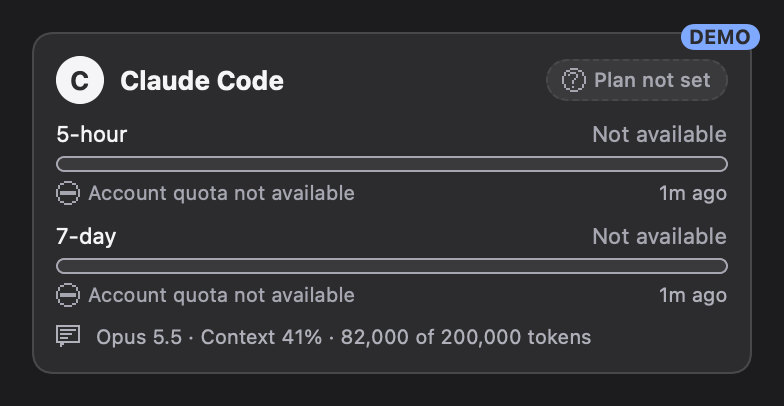
quotaNotAvailable
Account quota not available
“account quota not available”
statusUnknown
outline
card
disconnected
Not connected
“not connected”
statusUnknown
dashed
plan
providerVerified
Provider verified
“provider verified”
statusSuccess
solid
plan
userConfirmed
User confirmed
“user confirmed”
textSecondary
solid
plan
selectedUnverified
Selected · not verified
“selected, not verified”
statusUnknown
outline
plan
notSet
Plan not set
“plan not set”
statusUnknown
outline
Spacing, radius, stroke
Classic theme values; Phosphor squares the corners (radius 2) and opens spacing to 20.
Spacing
compact4 pt
standard8 pt
spacious16 pt
windowPadding12 pt
section32 pt
Radius
control6 pt
card10 pt
pill999 pt
Stroke
hairline1 pt
emphasis2 pt
focus2 pt
Classic components (29 states)
The first six components in the system theme that preceded Phosphor. Still in the code; the pixel components reuse their wording and accessibility text. Light or dark follows the theme you preview.
ProviderCard
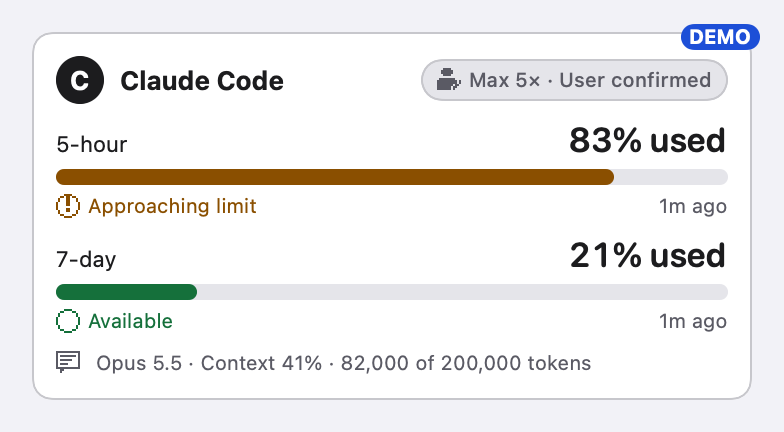
One provider: identity, plan, one row per allowance pool, the active session. Compact in the menu bar popover, expanded in provider detail.
Compact: menu bar popovercard-compactExpanded: provider detail, reset passedcard-expandedNo rate limits reported, plan not set (F06, F15)card-no-rate-limits
QuotaProgress
One allowance pool. Takes a provenance-carrying value, never a bare number, so missing data cannot render as 0%. Every state has its own symbol, words and bar pattern as well as colour.
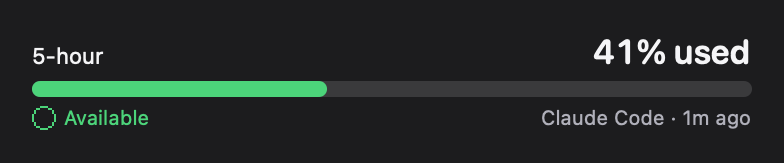
Available · 41%quota-availableApproaching · crossed 80%quota-approachingNearly exhausted · crossed 95%quota-criticalLimit reachedquota-exhaustedLimit reached, no reset time reportedquota-exhausted-no-resetLimit reached, paid usage evidencedquota-overageReset time passed, no fresh reading yetquota-reset-expectedAvailable again, verified by a fresh readingquota-available-againManual snapshotquota-entered-by-youStale: last reading 42 minutes agoquota-staleProvider did not send rate limits (F06)quota-not-availableProvider sent null (first event, F07)quota-not-reportedValue failed validationquota-provider-errorNot connectedquota-disconnected
ResetCountdown
Counts down from a verified reset instant. At the reset time it says “Reset expected”, never “Ready”: only a fresh reading can say that.
Verified reset aheadreset-upcomingReset time reached: never says Readyreset-expectedNo reset time reportedreset-unknown
PlanPill
The plan label always carries how it is known. The plan never feeds any arithmetic.
User confirmedplan-user-confirmedProvider verifiedplan-provider-verifiedSelected, not verifiedplan-selectedPlan not setplan-not-set
ConnectionHealth
Whether readings are arriving, with the age of the last one. Never “100% connected”.
Livehealth-liveNo new readingshealth-staleNot connectedhealth-not-connected
DataSourceLabel
Source and freshness, on every value. Freshness is never omitted; stale values say “last seen”.
Source and freshnesssource-liveStalesource-stale
06 / VOICE AND TONE
Voice and tone
One voice: a precise instrument that tells the truth. The tone shifts with the moment; the voice never does.
ExactNumbers carry their source and age. Units always. No rounding that changes a decision.
PlainShort words, active verbs, sentence case. The product's job is to be glanced at.
Honest about uncertaintyAn estimate says so; a missing value says so; a guess is never shown as a fact.
CalmNo alarms for their own sake. Attention when a limit is near, plain facts when it is reached.
Tone by moment
Available
Reported limits available
Quiet. One line, then out of the way.
Approaching
Approaching limit · resets 20:01
Direct. Lead with what will happen and when.
Reached
Limit reached · resets in 2h 14m
Factual. What it is, when it ends. No blame, no exclamation marks.
Missing
Not reported yet
Neutral. Name the absence; never fill it.
Write this, not that
From the app's own copy decisions.
Write
Not
Why
Reported limits available
All limits available
Say only what the data supports. The status line reports two limits; there may be a third.
Reset expected
Ready
At the reset time no fresh reading has arrived yet. Only a reading can say “ready”.
Estimate: at this pace, 100% around 18:29
You'll run out at 18:29
A projection always says it is one.
Not reported yet
0%
Missing is never zero. Name what is absent.
Last seen 12 min ago
Stale
Give the fact that makes it stale, not the jargon.
Couldn't update settings. Nothing was changed.
Oops! Something went wrong.
Say what happened and what it means for the user's files. No apology theatre.
07 / DOWNLOADS
Downloads
Every file is generated by design/brand/pipeline/build.sh from source in the repository, so the downloads always match these guidelines.
Clepso Pixel and Clepso Mono are original drawings, licensed under the SIL Open Font License 1.1 with the Reserved Font Names “Clepso Pixel” and “Clepso Mono”: you may use, modify and redistribute them under the OFL, and a modified version must be renamed. The Clepso name, mark and logo, app icon and menu bar mark are not covered by that licence (or by the code's MIT licence) and stay reserved; see TRADEMARKS.md. “Clepso” is a working name.